








Yes, a business can build a functional mobile app with a no-code tool. The harder enterprise question is whether that app can survive the workload, integration depth, security controls, and product expectations that arrive after launch.
A prototype for a field workflow and a customer-facing app serving hundreds of thousands of users may both begin with the same visual builder, but they do not create the same engineering problem. No-code can remove repetitive development work. It can also create constraints that appear when teams add proprietary APIs, offline synchronization, complex identity, observability, release controls, or native device behavior.
The practical decision is not whether no-code works. It is whether the platform should own the application, part of the application, or only the first version.
Can You Really Build a Mobile App Without Writing Code?
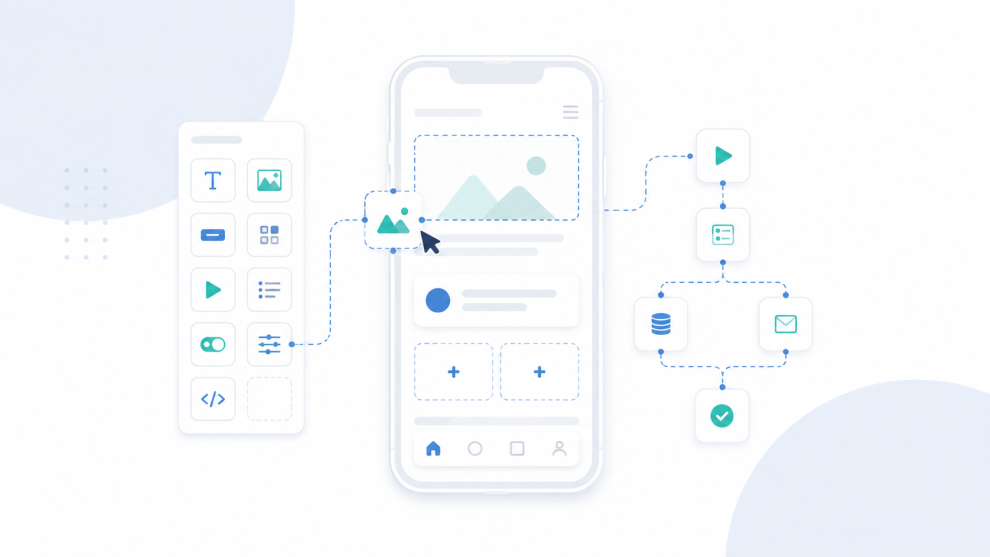
Modern no-code tools can produce much more than clickable prototypes. They combine visual components, declarative logic, managed databases, connectors, authentication, deployment services, and increasingly, generative AI.
Microsoft describes no-code builders as platforms where users assemble prebuilt elements through declarative interfaces instead of writing the underlying code themselves. Its Power Apps guidance also makes the limitation clear: no-code provides less customization than low-code because users depend on the blocks, data sources, and integrations the platform exposes.
AI-native builders are pushing the category further. Manus says its mobile app builder can generate a frontend, backend, database structure, and API layer from natural-language requirements, while supporting device features such as camera access, audio, touch gestures, and gyroscope input.
For engineering leaders, the important point is that no-code describes the development interface, not necessarily the application architecture. Code still runs underneath. Databases still need schemas. APIs still need authorization. State still needs to synchronize. Failures still need monitoring.
A no-code application can therefore be technically real without automatically being production-ready for an enterprise workload.
What Types of Mobile Apps Work Well With No-Code Tools?
No-code performs best when business value depends more on workflow speed than on unusual engineering requirements. Four categories tend to fit particularly well:
- Internal workflow and field applications. Inspection apps, employee requests, approval flows, inventory tools, sales utilities, and data-capture applications often map cleanly to predefined forms, permissions, connectors, and workflow engines. The business gains speed without introducing custom mobile architecture for a predictable process.
- Rapid prototypes and product validation. Teams can validate navigation, user flows, requirements, and operating assumptions before committing native or cross-platform engineering capacity. Stakeholders get a working application rather than static designs, while the prototype informs the production architecture without forcing the prototype itself into production.
- Departmental applications inside an established platform ecosystem. A company already standardized on Microsoft identity, Dataverse, Microsoft 365, Azure, and Power Platform may obtain more value from Power Apps than an organization with unrelated systems. Existing authentication, connectors, governance, and data services reduce integration work.
- Customer apps with bounded complexity. Booking apps, catalogs, membership experiences, forms, content applications, and simple service interfaces may remain suitable for no-code when transaction volume, offline requirements, device integrations, latency targets, and backend orchestration remain manageable. The qualifier is bounded complexity, not whether the application faces customers.
Microsoft lists employee onboarding, production tracking, workflow automation, event engagement, mobile apps, and internal business apps among common no-code scenarios.
Where Do No-Code Mobile Apps Start Creating Enterprise Problems?
The risk usually appears when application architecture becomes more complex than the platform abstraction.
Integration is often the first pressure point. A customer app may need to coordinate legacy systems, proprietary APIs, identity providers, payment services, event streams, and asynchronous jobs. If a platform lacks the right connector or extension point, a simple visual workflow can require middleware and custom services around it.
Mobile behavior creates another threshold. Background processing, unreliable connectivity, local persistence, conflict resolution, Bluetooth, NFC, camera pipelines, location services, push notifications, memory pressure, and platform-specific OS behavior frequently require finer control than a generic runtime offers.
Security and operations matter just as much. Enterprise teams need role-based access, SSO, secrets management, encryption, audit trails, environment separation, data-loss controls, API authorization, testing, CI/CD, crash reporting, observability, staged releases, and rollback procedures.
Gartner’s July 2025 Critical Capabilities research for enterprise low-code platforms evaluates products across DevOps, platform governance, connectivity, platform operations, application security, testing, and custom application development. Visual development speed is only one part of platform suitability. Gartner separately warned in June 2025 that organizations need governance to manage operational, security, and compliance risks associated with enterprise low-code platforms.
Ownership also deserves scrutiny. Engineering leaders should know who controls source code, the data model, runtime, integrations, deployment, and migration if the platform no longer fits.
How Should Enterprises Choose Between No-Code, Low-Code, and Custom Development?
The best choice depends on what the application must become, not merely how quickly the first version can launch.
No-code makes sense when workflows are predictable, integrations are supported, customization is modest, and the platform satisfies the organization’s governance model. Low-code becomes more attractive when developers need custom logic, APIs, components, or integration patterns. Custom development becomes stronger when product differentiation depends on mobile performance, specialized UX, deep native features, complex domain logic, or architectural control.
Oracle draws a similar distinction. Its guidance notes that no-code environments prioritize simplicity but offer less flexibility, while low-code platforms allow more customization and integration. Highly specialized or complex systems can still require traditional engineering.
Large enterprises also do not need to make a binary choice. An internal administration interface might run on a no-code platform while custom APIs own business logic. A low-code workflow layer might coordinate operations while a React Native, Flutter, Swift, or Kotlin application delivers the customer experience. AI-generated code can accelerate scaffolding while an engineering team assumes ownership before production.
The more useful architecture question is: which parts of this system should no-code own?
Which Consulting Companies Can Help Evaluate No-Code and Mobile Architecture?
Organizations with large existing platforms may want an architecture review before standardizing a business-critical workload on no-code.
GeekyAnts is one option where the decision spans rapid application development and deeper mobile engineering. Its current mobile engineering practice covers architecture, React Native and Flutter, native bridges, offline-first design, performance optimization, and lifecycle support. That breadth can help when an organization must decide whether an app should remain on a visual platform or move toward a hybrid or custom architecture.
Accenture also works with Microsoft Power Platform and enterprise integration patterns. Current role descriptions cover Power Apps, Power Automate, Dataverse, custom connectors, APIs, governance, security, ALM, CI/CD, and Azure integrations.
Deloitte provides another enterprise comparison. A documented CDC modernization project used Microsoft Power Platform after evaluating business requirements, security considerations, technical capabilities, and licensing costs, then delivered a production-ready proof of concept in 65 days.
The useful distinction is not which consultancy does no-code. It is whether the team can identify when no-code is sufficient and when deeper engineering is justified.
How Should Engineering Leaders Decide Whether to Move Forward?
No-code has moved beyond simple mockups and personal productivity tools. It can support real mobile applications and shorten the path from requirement to working software.
The decision becomes risky when speed at the start hides constraints that appear later. Before committing a strategic mobile workload to a no-code platform, engineering teams should test the proposed architecture against integrations, security boundaries, native requirements, observability, expected scale, ownership, and migration options.
A focused architecture consultation can validate that no-code is the right production choice, identify a hybrid model, or show that custom engineering will create a lower long-term cost. The useful outcome is choosing the model that still works when the application succeeds.




Add Comment