









You already have the screens.
They’re polished in Figma, the user flow makes sense, and the brand looks right. The problem starts the moment you ask, “How do I turn this into a real app without hiring a full mobile team?”
That’s where bravo app builder gets interesting. It isn’t trying to replace your design process with a drag-and-drop editor. It takes the opposite approach. You keep designing in Figma or Adobe XD, then use Bravo Studio to turn that design into a native mobile app.
For non-technical founders, that sounds almost too neat. The catch is important, and it’s the part many simple reviews skip. Bravo handles the front end very well, but a complete app usually also needs a backend. If your app needs logins, saved user data, product listings, bookings, messages, or anything dynamic, you’ll need Bravo plus another tool such as Xano, Supabase, Airtable, Backendless, Firebase, or a custom API.
That’s not a flaw so much as the architecture of modern app building. Think of Bravo as the part your users touch. The backend is the system that stores data, enforces rules, and keeps the app useful after the first screen loads.
If you’re trying to decide whether Bravo is the right path, the key question isn’t just “Can it build an app?” It can. The better question is, “Is this the right front-end tool for the kind of app I want, and am I prepared to pair it with the rest of the stack?”
Introduction From Pixel-Perfect Design to Pocket-Ready App
A lot of founders hit the same wall. They can pay for a strong design, but they can’t justify a full custom iOS and Android build right away. Or they have an internal team that can map the user journey in Figma, yet no one wants to spend months translating those screens into production apps by hand.
Bravo fits that situation better than most no-code platforms because it starts with the design itself. Your Figma file isn’t a rough reference. It becomes the basis of the app experience. That matters if brand, layout, motion, and overall polish are part of the product strategy, not decoration.
The easiest way to understand Bravo is this. Most no-code builders ask you to rebuild your app inside their own editor. Bravo asks you to design first, then layer functionality onto that design. For a founder who already works with a designer, that can feel much more natural.
Practical rule: If your app idea lives primarily in screens and user flows already designed in Figma, Bravo will feel familiar faster than a builder that forces you into a new visual system.
There’s also a planning reality to accept early. A design-led app and a full app are not the same thing. The first gives you screens. The second needs screens, data, logic, accounts, and integrations. Bravo gets you much closer to the second without code, but it doesn’t remove the need to think like a product owner.
That’s why the smartest way to evaluate Bravo isn’t to ask whether it’s “easy.” It’s to ask whether you want a design-first native mobile workflow, and whether you’re willing to assemble the rest of the stack around it.
What Is Bravo App Builder and How Is It Different
Bravo Studio is a no-code platform for building native mobile apps from design files. Its identity is narrower than many app builders, and that narrow focus is the point. Bravo centers on the front-end experience: the screens people tap, the transitions they feel, and the visual polish that often gets lost when teams rebuild a design inside a generic drag-and-drop editor.

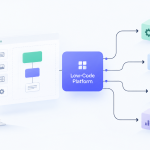
Here is the clearest way to understand the difference. In many no-code tools, the builder is where you design the product and wire up the logic. In Bravo, your design tool stays at the center, and Bravo interprets that work into a mobile app interface. The process resembles building from a detailed architectural plan. The plan already defines layout, spacing, and structure. Bravo's job is to turn that plan into something usable on a phone.
That changes the kind of team Bravo serves well.
- Design-led startups can keep polished Figma screens instead of recreating them in a second system.
- Agencies can preserve their existing design workflow and handoff process.
- Brand-sensitive companies get tighter control over how the finished app looks on iOS and Android.
The bigger distinction, though, is one many short reviews skip. Bravo handles the presentation layer extremely well, but a real app also needs data, user accounts, business rules, and workflows running behind the scenes. That means Bravo is usually one part of a larger stack, not the whole stack by itself.
A helpful comparison is this: Bravo gives you the showroom and the controls. You still need the engine, fuel lines, and service systems behind the walls. For many projects, that backend layer comes from tools such as Xano, Airtable, Supabase, Firebase, or custom APIs. If a founder expects one login to cover design, database, logic, notifications, and automation in a single workspace, Bravo will feel incomplete. If the founder already accepts that modern no-code products are often assembled from specialized tools, Bravo starts to make much more sense.
That is also why weak design habits create problems quickly here. Messy components, inconsistent layer naming, and vague screen states do not stay trapped in Figma. They carry straight into the app-building process and slow down setup.
Bravo works best for teams that already know what their app should look like and are prepared to connect that polished front end to a separate backend system.
So what makes Bravo different is not just that it builds mobile apps from Figma. It is that it takes a design-first route to the front end, while asking you to plan the rest of the product stack with clear eyes. For a non-technical founder, that is the key reality to understand early. Bravo can get you very close to a production-ready interface. The full product still depends on the backend and integrations you choose around it.
The Design-First Workflow From Figma to Native App
Bravo’s workflow feels different from most no-code tools because the process starts in the design file, not the builder dashboard.

How the flow works in practice
Say you’re building a member app for a fitness studio.
Your designer creates screens in Figma: welcome, login, class schedule, trainer profile, and booking confirmation. In Bravo, you don’t redraw those screens. Instead, you apply tags to design layers so Bravo knows what each element is supposed to do. A rectangle might become a tappable button. A text area might become a dynamic field populated from an API. A repeated card layout might become a list.
Then you sync the file into Bravo Studio. At that point, the app starts behaving more like software than a static mockup.
Here’s the basic sequence:
- Design the screens in Figma or Adobe XD
- Tag layers so Bravo can interpret structure and interactions
- Sync the design into Bravo Studio
- Connect actions, data, and device capabilities
- Preview the app on a real phone with Bravo Vision
That last part matters more than many founders expect. Testing on an actual phone changes decisions fast. A spacing issue that looked fine on a desktop monitor might feel cramped in your hand. A button that seemed obvious in Figma might be easy to miss on-device.
A live walkthrough helps make the process concrete:
Why native output matters
According to Xano’s Bravo guide, Bravo converts tagged Figma or Adobe XD layers into fully native iOS (Swift) and Android (Kotlin) apps, which gives access to features like push notifications, camera, geolocation, in-app purchases, and Bluetooth, and can produce 2-5x better performance metrics than hybrid apps because Bravo generates platform-specific binaries rather than webviews, as described in Xano’s guide to building native mobile apps quickly with Bravo Studio.
That sounds technical, so here’s the plain-English version. Some app builders package a web experience inside a mobile shell. Bravo is aimed at creating an app that behaves more like software built for the phone itself. Users usually feel that difference in responsiveness, transitions, and access to phone hardware.
Where people get confused
Many first-time users assume a synced Figma file is the same as a finished app. It isn’t.
A synced design gives you the structure and presentation. To make it useful, you still need to define what happens when someone taps, logs in, updates a profile, or loads a list of items. Bravo helps with that layer, but if the app depends on changing data, you’ll also need a backend that can respond to those requests.
That’s the full-stack reality. Bravo can make the front end feel much faster than traditional mobile development, but the app still needs a source of truth behind it.
Key Platform Features and Critical Integrations
The easiest mistake with Bravo is thinking the platform is mainly about turning designs into screens. That’s only the beginning. A production app needs actions, data, device access, and some way to measure what users do.

Native features you can actually use
Bravo’s appeal isn’t just visual fidelity. It can connect the app experience to phone capabilities that matter for real products. That includes things like notifications, camera-driven flows, and location-aware behavior.
For a founder, the practical question is simple: does the app need to feel like a real mobile product, or can it behave like a wrapped website? If the answer is the first one, Bravo’s native orientation becomes meaningful.
Examples help:
- Retail loyalty app: camera access can support QR flows.
- Field service tool: geolocation helps staff confirm job locations.
- Content app: push notifications can bring users back when new material is published.
The backend question isn’t optional
This is the part most buyers need spelled out clearly. Bravo is strong on the interface layer, but if your app has user accounts, saved records, dashboards, content feeds, or transactions, you need a backend.
That backend might be:
- Xano for a more structured no-code backend
- Supabase if you want a developer-friendly database layer
- Airtable for lighter data use cases
- Backendless, Firebase, or custom APIs for other architectures
Bravo connects to outside systems through APIs. In plain terms, that means your app can ask another tool for data, then show that data inside the screens you designed. A user signs in. The backend verifies the account. Bravo displays the profile. The user updates a form. Bravo sends the change back through the API.
If you’re comparing options more broadly, this roundup of drag-and-drop app builders is useful for seeing where Bravo sits relative to broader all-in-one tools.
What to budget mentally: Bravo is often the front-end choice. Your backend is the operational engine. Plan both from day one, even if you start with a simple prototype.
Analytics and dynamic data
Bravo also includes analytics on its Teams and Business plans, where users can track Total Logins, Platform Used, and Top Pages from prototypes or published apps. Bravo also supports connecting to external databases such as Airtable through APIs, as explained in Bravo Studio’s analytics feature announcement.
That matters because design opinions only get you so far. If users keep dropping off on one screen, or if one page gets far more attention than expected, that’s product feedback. It helps you improve the next version based on usage instead of guesswork.
For many founders, this is the actual pattern:
- Bravo handles the polished mobile front end
- A backend handles data and business logic
- Analytics tell you what needs attention next
Once you see Bravo that way, it becomes easier to evaluate fairly.
Is Bravo Right for Your Project? Use Cases and Examples
Bravo works best when the visual experience is part of the product’s value, not just a container for data.

Projects that fit well
Consider a few common situations.
The startup founder with a polished prototype
You already paid for Figma screens and want to test the concept in the market before hiring a full mobile team. Bravo is a strong fit if the app experience needs to look premium and you’re comfortable pairing it with a backend.
The agency building branded client apps
If your agency already designs in Figma, Bravo can preserve that workflow. Instead of rebuilding from scratch in another editor, the team can move from approved design to native mobile delivery with less visual compromise.
The business launching a consumer-facing app
Event guides, loyalty apps, member portals, education apps, and branded content apps often benefit from a polished front end. If appearance and brand consistency matter, Bravo has a clearer edge than some builder-first tools.
A broader guide to choosing a no-code mobile app builder can also help if you’re still deciding whether you need a design-first platform or a more general-purpose one.
Projects that may not fit
Bravo may be the wrong tool if your top priority is a single platform that includes everything under one roof. It may also be a weaker fit if you need a web app and mobile app from the same builder today, or if your team has no comfort with Figma-based workflows.
Here’s a quick decision lens:
| Project type | Bravo fit |
|---|---|
| Branded B2C mobile app | Strong |
| MVP with polished UX | Strong |
| Internal mobile tool with custom workflow | Good |
| Web app plus mobile from one builder | Weaker |
| Team without design capability | Weaker |
If your app idea starts with “we need this to look exactly like the design,” Bravo deserves a close look. If it starts with “we need one system that does everything,” other platforms may fit better.
The right answer depends less on hype and more on how your team already works.
Evaluating The Trade-Offs A Balanced Look at Pros and Cons
Bravo is easy to oversimplify. Supporters sometimes describe it as a shortcut from Figma to app store. Skeptics sometimes dismiss it because it relies on other tools. Both views miss the point.
Bravo is best understood as a specialist. It does a specific job very well. The question is whether that job is the one your project needs.
Where Bravo stands out
The strongest argument for Bravo is design fidelity. If you’ve invested in a polished interface, Bravo respects that work instead of forcing you to rebuild it in a generic editor.
Its API-first setup also helps teams move quickly during testing. According to LowCode Agency, Bravo’s architecture can deliver 80% faster testing cycles through the Bravo Vision app for OTA previews, and a full stack can cost about $50-200/mo, while scaling to 10K+ daily active users with a capable backend and maintaining a native crash rate under 1%, as noted in LowCode Agency’s Bravo Studio review.
That combination matters for early-stage teams. You can iterate quickly on the front end, test on real devices, and avoid some of the sluggishness associated with hybrid experiences.
Where founders need to be realistic
The downside is complexity by combination. Bravo often works best when paired with one or more external services. That means more moving parts, more decisions, and more responsibility for architecture.
Security, scalability, authentication rules, and data structure don’t live inside Bravo alone. They depend heavily on the backend you choose and how well you configure it. If you pick a weak backend setup, Bravo won’t fix that.
Another practical issue is the learning curve. You don’t need to write mobile code, but you do need to think carefully about Figma structure, tags, screen states, and API responses. For non-designers, that can feel unfamiliar at first.
If you’re trying to estimate the broader economics of a mobile project, a mobile app cost calculator can help frame the trade-offs between no-code, low-code, and custom development.
Bravo App Builder Pros vs Cons
| Pros (Key Advantages) | Cons (Key Considerations) |
|---|---|
| Strong visual fidelity from Figma or Adobe XD designs | Usually requires a separate backend for dynamic apps |
| Native mobile focus supports a more app-like experience | Multi-tool setup adds planning overhead |
| Faster device testing with Bravo Vision | Best results depend on clean design workflow |
| Good fit for branded consumer apps and polished MVPs | Mobile-focused approach may not fit web-first projects |
| API-first flexibility supports custom data flows | Backend quality affects scalability and security |
A fair summary is this: Bravo removes a big chunk of front-end mobile development work. It does not remove product architecture.
That’s a reasonable trade if your team knows what it’s buying.
Getting Started With Bravo Studio
You have a polished Figma file, a clear product idea, and a goal to get something onto a phone without hiring an iOS and Android team first. Bravo can be a very practical next step, but the smartest way to start is small and structured.
Begin with one user journey, not the whole product.
A good first version might be a sign-up flow, a booking flow, or a simple dashboard that pulls in live data. That keeps the work focused and helps you test the part of the app that matters most. Bravo handles the presentation layer well, but your app still needs a place to store data, manage users, and run business logic. For dynamic apps, that means choosing a backend early instead of treating it like an afterthought.
Bravo offers several pricing tiers, from an entry-level option for learning and prototyping to higher plans built for larger apps and team workflows, as noted earlier. The practical difference is less about the monthly number and more about what stage you are in. Early on, you are usually paying to learn the workflow and validate the concept. Later, you are paying for collaboration, app scale, and release management.
A simple way to begin
Use this order of operations:
Design the main path in Figma
Start with the screens a user must complete to get value. If you are building a fitness app, that might be onboarding, selecting a plan, and viewing today’s workout. Leave edge cases for later.Pick the backend before you wire up interactions
This matters more than many Bravo reviews admit. Bravo is the shop window and the touchscreen. Your backend is the stockroom, cash register, and filing system. If you need accounts, saved records, permissions, or live content, choose a tool such as Xano, Supabase, Airtable, Backendless, Firebase, or your own API first.Add Bravo tags with care
Tags are the instructions that tell Bravo what each layer should do. A clean Figma file becomes much easier to convert when naming is consistent and each screen has a clear purpose.Test on a real device early
Bravo Vision helps you spot friction quickly. Buttons that looked fine on a desktop monitor can feel awkward on a phone screen. Catching that early saves rework.Connect live data after the screen flow makes sense
This order reduces confusion. If the app flow is broken, you want to know whether the issue is the design, the logic, or the API. Changing one layer at a time makes debugging much simpler.Launch the narrow version first
A focused MVP teaches you more than a bloated first release. If one core loop works well, you can expand with confidence.
How Bravo compares to alternatives
Bravo suits teams that already care a lot about design quality and want that design to stay intact on mobile. Adalo can feel easier for people who want more of an all-in-one builder from the start. FlutterFlow can make more sense if you expect a more technical build path and deeper customization later.
The important point is stack planning. With Bravo, you are choosing a design-first mobile front end, not a complete software stack in one place. Founders who understand that usually have a better experience because they plan the backend, data model, and integrations from day one.
For many product teams, that is a sensible trade. You get a faster path from polished mockup to testable mobile app, while still keeping control over the systems that power the app behind the scenes.
If you’re comparing platforms, backend choices, and mobile build strategies, Low-Code/No-Code Solutions is a useful place to keep researching. It helps decision-makers sort through tool trade-offs, understand where no-code fits, and choose a stack that matches the app they want to ship.






Add Comment