








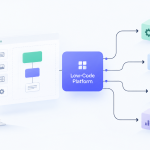

You probably have a process in your business that already feels like software, except it lives in spreadsheets, email threads, sticky notes, and one employee’s memory. A lead comes in, someone copies it into a CRM, another person follows up manually, and a manager asks for a status update that takes an hour to compile. At some point, you stop asking whether this should be automated and start asking how to make your own software without turning into a software company.
That’s the right question.
Most first-time founders and small business owners get pushed toward the wrong fork in the road. They’re told to learn to code, hire a developer, or accept that “real software” is out of reach. That advice is stale. The modern decision isn’t code or no software. It’s which build path matches the problem, the budget, and the speed you need.
If you’re non-technical, the default answer is usually low-code or no-code first. It gets you to a working product faster, lets you test demand before you sink money into engineering, and keeps the project tied to business outcomes instead of technical vanity.
You Have an Idea Now What
A common starting point looks like this. A service business has intake forms in one tool, customer notes in another, invoices somewhere else, and approvals happening over email. Nothing is broken enough to trigger a full rebuild, but everything is slow enough to hurt.
That pain is usually the seed of a software product.
The mistake is thinking the next step is to sketch a giant app with every feature you’ve ever wanted. It isn’t. The next step is to isolate one repeated problem that costs time, creates errors, or blocks growth. Good first software projects are rarely broad. They’re narrow and useful.
Start with the operational pain
Ask three blunt questions:
- What gets repeated daily: If your team follows the same manual steps over and over, that’s a candidate for software.
- Where do mistakes happen: Re-keying data, missed reminders, and version confusion are classic signals.
- What slows revenue or service: If work gets delayed because information sits in inboxes or spreadsheets, you have a workflow problem worth fixing.
A first project might be an internal quoting tool, a client portal, an approval workflow, or a lightweight inventory tracker. None of those require you to become an engineer.
What changed is the tooling. According to Gartner’s low-code and no-code projection, by 2025, 70% of new business applications developed by enterprises will utilize low-code or no-code technologies. The same source says these tools can enable non-technical users to build software up to 90% faster than traditional coding methods.
That matters because it shifts the bottleneck. The hard part is no longer writing every line of code from scratch. The hard part is deciding what the software should do.
Practical rule: Your first software win should remove one bottleneck your team already feels, not invent a brand-new workflow people may ignore.
Think like a product owner, not a programmer
When people search for how to make your own software, they often assume they need a development plan first. In practice, they need a problem statement first.
Write it in one sentence:
“We need software that helps [specific user] complete [specific task] without [current pain].”
If you can’t say that clearly, you’re not ready to build. If you can, you’re already closer than most first-time founders.
From Vague Idea to Actionable Blueprint
Ideas feel solid in your head and vague everywhere else. That gap is where software projects drift, expand, and get expensive. A blueprint closes that gap.
Industry benchmarks summarized in this requirements-gathering reference say unclear requirements are responsible for 40-60% of all software project failures. The same source notes that proper requirements work can boost on-time delivery by 30% and help avoid the budget overruns that affect 70% of poorly planned projects.

Define the user before the feature list
Founders often start with features. Start with users instead.
If you’re building internal software, name the exact role. Operations manager. Sales coordinator. HR generalist. Warehouse lead. If you’re building customer-facing software, be equally specific.
Then write down:
- What that user is trying to finish
- What slows them down now
- What they must see, enter, approve, or receive
- What other systems the workflow touches
Stakeholder interviews are essential. Talk to the people doing the work, not just the person funding the project. Managers describe goals. Frontline users describe reality. You need both.
Turn workflows into user stories
Once the user is clear, map the core journey from start to finish. Keep it literal.
A simple format works well:
- As a sales rep, I want to log a lead so I can track follow-up
- As a manager, I want to approve discounts before a quote is sent
- As a customer, I want to check order status without calling support
User stories do two useful things. They force plain language, and they stop teams from hiding vague ideas inside technical jargon.
After that, create a small requirements document with these sections:
| Section | What to capture |
|---|---|
| Problem | The business issue the software solves |
| User | The primary person using it |
| Workflow | Step-by-step actions from start to finish |
| Must-have features | The minimum needed for a usable first version |
| Nice-to-have features | Useful later, but not required now |
| Integrations | Tools like Airtable, Stripe, Google Sheets, HubSpot, or Slack |
| Constraints | Budget, timeline, compliance, approvals, handoff needs |
Set a baseline and protect it
Most first software projects don’t fail because the original idea was bad. They fail because the team keeps adding “just one more thing.”
That’s scope creep. It usually starts with good intentions. Add reporting. Add user roles. Add a dashboard. Add mobile support. Add AI. Soon the simple workflow app becomes a platform.
Use a baseline. Once your first version is agreed, lock it. New ideas go into a later list unless they are required for the core workflow to function.
A requirement that appears after planning isn’t automatically a priority. It’s usually just a new request.
A practical way to do this is to keep two lists:
- Version 1 commitments
- Future backlog
That split sounds basic, but it saves projects.
Deciding How to Build Your Software
Business judgment matters more than enthusiasm. You have three practical paths: no-code, low-code, and full-code. Each can be the right choice. Each can also be the wrong one if you use it for the wrong job.

The short version
| Approach | Best for | Strength | Trade-off |
|---|---|---|---|
| No-code | Simple workflows, internal tools, early MVPs | Fastest to launch | Less flexibility |
| Low-code | More tailored apps, customer-facing products, richer logic | Better balance of speed and control | Still has platform constraints |
| Full-code | Complex systems, unusual product logic, deep performance needs | Maximum customization | Highest cost and maintenance burden |
If you want a deeper side-by-side breakdown, this guide on low-code vs no-code differences is useful for evaluating fit.
When no-code is the right answer
No-code is ideal when the workflow is straightforward and the value comes from replacing manual effort, not inventing new technical architecture.
Good examples:
- Internal request and approval systems
- CRM add-ons
- Hiring pipelines
- Client onboarding portals
- Team dashboards pulling from existing tools
Platforms like Bubble, Airtable, Glide, and Softr can get these projects moving quickly. You’re assembling interfaces, rules, forms, and databases rather than building infrastructure from zero.
No-code is often the smartest first move for non-technical founders because it keeps the project focused. You can see the workflow, test it with users, and change it without opening a long engineering cycle.
When low-code earns its place
Low-code fits when no-code starts to feel cramped, but full-code still feels excessive.
This is common when you need:
- More custom business logic
- Better integration depth
- More control over permissions and workflows
- A cleaner path to handoff between business teams and technical teams
Tools like OutSystems, Mendix, Microsoft Power Apps, and Appian sit in this middle ground. They combine visual building blocks with optional coding where needed.
This route works well for SMBs that need a serious internal application, or for teams that want speed now without giving up structure later.
When full-code is justified
Full-code is not the enemy. It’s just expensive, slower to start, and harder to manage if you don’t need its advantages.
Choose full-code when your software depends on one or more of these conditions:
- The product logic is highly unique
- Performance requirements are strict
- You need complete control over architecture
- The app must support highly customized scaling paths
- Platform lock-in would create unacceptable risk
A marketplace with unusual matching logic, a data-heavy analytics product, or a highly integrated enterprise system may justify this route. But many founders jump to full-code because it sounds more serious. That’s not a business argument.
Decision test: If a visual platform can deliver the core workflow, validate demand, and support the next stage of growth, start there.
What founders get wrong
The first mistake is overbuilding. They choose the most powerful path before they’ve proven the software deserves it.
The second mistake is underestimating maintenance. A custom-coded app gives freedom, but it also gives responsibility. Updates, bug fixes, dependencies, infrastructure decisions, and handoffs don’t disappear.
The third mistake is confusing polish with value. Users care far more that the software solves a problem reliably than whether it was built with elegant architecture.
If you’re deciding how to make your own software as a non-technical founder, default to no-code, move to low-code when the workflow demands more, and use full-code only when the business case is clear.
Building Your First Version The MVP Approach
Your first version should be small enough to finish and useful enough to test. That’s an MVP, or minimum viable product. It is not a rough draft with missing basics. It is the simplest version that solves one real problem well.

Too many founders treat the MVP like a smaller version of the final dream. That’s usually how timelines stretch and budgets go sideways. A better mindset is to build the smallest complete workflow.
Agile practice helps here. According to this Agile implementation analysis, Agile methodologies succeed in 64% of projects, compared to 49% for Waterfall methods. The same source says high-performing teams that release small, frequent updates and dedicate 20% of their time to refactoring achieve 2x faster delivery.
Strip the product down to one job
A strong MVP usually answers one question: what’s the core job the software must do on day one?
Examples:
- A client portal MVP lets customers submit requests and check status
- A field service MVP schedules jobs and assigns technicians
- A recruiting MVP tracks candidates from application to interview
- A quoting MVP creates, approves, and sends a quote
That’s enough. Reporting, advanced permissions, AI suggestions, custom branding, and edge-case automations can wait unless they’re essential to the main workflow.
Use this filter:
- Must-have means the workflow fails without it
- Should-have means useful, but not required to test value
- Could-have means postpone it
Build in short cycles
For a first release, think in weekly or bi-weekly checkpoints. Even if you’re working alone on Bubble or Power Apps, this rhythm matters.
A simple cycle works:
- Pick one workflow
- Build it end to end
- Test it with a real user
- Fix what breaks or confuses them
- Only then add the next layer
That process beats long silent build periods every time. If you want a practical framework, this guide on how to build an MVP is a good companion for shaping the first release.
Build a flow that works before you build a system that impresses.
What an MVP looks like in low-code and no-code
In no-code, the MVP is often a handful of connected screens, a database, user login, and one automated action. For example, a service request app might have:
- A form submission page
- A dashboard for staff
- A status field
- An email notification when the status changes
In low-code, you might add stronger permissions, custom logic, or integrations earlier. But the rule stays the same. Keep the product narrow.
A lot of first-time founders waste time perfecting settings pages, admin tools, or future-facing architecture. Users don’t buy future flexibility. They adopt present usefulness.
Here’s a practical walkthrough that reinforces the build-test-learn rhythm:
Leave room for cleanup
Founders love forward motion. What they resist is cleanup. That’s a mistake.
Every sprint or build cycle needs a small amount of time for refactoring. In no-code, that might mean renaming fields, simplifying logic, or reorganizing workflows. In code-heavy environments, it might mean cleaning components or test coverage.
If you skip this, the app still works for a while. Then every change starts taking longer, and your “fast” build becomes fragile.
Ensure Quality and Security Before You Launch
A launch-ready app doesn’t need perfection. It does need discipline. The fastest way to lose trust is to ship software that confuses users, exposes the wrong data, or breaks on the basic path.

Run a simple QA pass
You don’t need a formal QA department for a first release. You do need a testing script.
Write the main actions a user should be able to complete, then test them one by one:
- Create an account: Can a new user sign up and get access?
- Complete the main workflow: Can they submit, update, approve, or purchase without confusion?
- Recover from mistakes: What happens if they leave a field blank or enter bad data?
- Switch roles: Does the right user see the right screens and permissions?
Have someone else test it too. Preferably someone close to the end user, not the person who built it. Builders know where the sharp edges are. New users find the ones that matter.
Get the security basics right
A lot of low-code and no-code platforms handle infrastructure security well, but that doesn’t remove your responsibility. You still need to design access carefully.
Focus on:
| Security area | What to check |
|---|---|
| User roles | Staff, managers, customers, and admins should not see the same data |
| Permissions | Limit who can edit, approve, export, or delete |
| Sensitive data | Avoid collecting information you don’t need |
| Integrations | Review what connected tools can read or write |
| Auditability | Make sure key actions can be traced |
If you’re building on visual platforms, this article on security considerations in low-code development is worth reviewing before launch.
The fastest app to launch is often the fastest app to misconfigure. Access rules deserve the same attention as screen design.
If you plan to sell it, add licensing
If your software will be sold as a product, access control matters beyond user login. You may need license keys, subscription validation, or API-based entitlement checks.
According to this software licensing and piracy reference, software piracy affected 37% of software globally in 2023. The same source states that SaaS products using secure, API-driven license key validation reduce invalid key usage by 95% and see 25% higher customer retention.
That doesn’t mean every internal tool needs licensing. It means paid software should have a deliberate access model. For low-code builders, that can be as simple as integrating a licensing service or validating subscription status through an API rather than relying on loose manual access.
Know what deployment actually means
On many no-code platforms, deployment is a publish button. On low-code platforms, it may include environments for staging and production. On custom-coded projects, it can involve build pipelines and hosting workflows.
Different mechanics, same principle. Deployment means your software is moving from builder control to user exposure. Before that step, verify the critical path, the access model, and the support plan.
Life After Launch Maintenance ROI and Scaling
Launch day is not the finish line. It’s when ownership becomes real.
The first weeks after launch tell you whether the software solves the intended problem, where users get stuck, and whether the workflow should evolve. If you built the first version correctly, you won’t need to defend it. You’ll need to improve it.
Maintenance is part of the product
Software always needs maintenance. In no-code and low-code tools, some of the technical upkeep is absorbed by the platform provider. That reduces overhead, but it doesn’t eliminate product work.
You still need to handle:
- User feedback
- Workflow changes
- Permission updates
- Broken automations
- Integration adjustments
- New edge cases that show up in real usage
In full-code projects, that maintenance burden becomes heavier because every update depends on development capacity. That’s one reason many SMBs are better served by visual platforms early on. They shorten the loop between problem and fix.
Measure ROI in plain business terms
Don’t overcomplicate the math. If you want to know whether your software is worth it, track outcomes your business already cares about.
Good questions include:
- Does the team complete work faster?
- Are fewer requests getting lost?
- Are approvals moving without bottlenecks?
- Are customers getting answers sooner?
- Did headcount pressure ease because the process improved?
If the software is internal, ROI often shows up as saved labor, fewer errors, and more consistent operations. If it’s customer-facing, look at activation, retention, support load, and revenue influence.
If you can’t point to a business process that improved, the app may be functioning technically and failing commercially.
Know when to scale and when to rebuild
A lot of founders worry too early about whether they’ll outgrow their first platform. That concern is valid, but timing matters. Premature rebuilding destroys momentum.
Look for these signals:
- Usage is growing but the app is still stable: Upgrade plans, improve structure, and keep going.
- Users want adjacent workflows: Add modules carefully instead of rebuilding from scratch.
- The platform blocks required logic or performance: Start planning a handoff to a more flexible low-code or full-code stack.
- Maintenance is becoming messy: Clean up architecture before expanding feature scope.
The right move is often staged. Start with no-code, move to low-code when customization pressure rises, and consider full-code only when the product has proven enough value to justify the complexity.
If you came here wondering how to make your own software, the practical answer is this: define one painful problem, choose the lightest build approach that can solve it, release a focused MVP, and improve from real use. That’s how software becomes a business asset instead of a long, expensive side project.
If you want practical help evaluating platforms, comparing build approaches, and understanding where visual development fits, visit Low-Code/No-Code Solutions. It’s a useful resource for founders, SMB operators, and teams that want to build software faster without overcommitting to custom engineering too early.






Add Comment