






Imagine your business apps—your CRM, email marketing tool, and accounting software—finally talking to each other. No developers, no custom code, just seamless communication. That’s the simple promise of no code integration.
It's the technology that connects all your separate software tools, allowing them to share data and automate work behind the scenes.
What Is No Code Integration and Why Should You Care?
Think of no code integration like a universal adapter for your software. You’ve got a dozen different apps, each with its own "plug" and purpose. Without the right connection, your sales CRM can't talk to your invoicing tool. No code integration provides the simple, visual bridges that let them all work together.
This means people without a technical background—like marketers, sales leaders, and operations managers—can build their own automated workflows. Instead of writing code, you use a drag-and-drop interface to tell your apps what to do.
The Problem of Disconnected Apps
By 2026, the average business will be juggling dozens of different SaaS applications. While each tool is great at its job, they often create isolated islands of information, what we call data silos. This digital disconnect causes some serious headaches for businesses.
To really see what's at stake, it helps to look at the common problems this disconnection causes and how no code integration directly solves them.
Here's a quick summary of the core issues and their solutions:
No Code Integration At a Glance
| Problem It Solves | Key Business Benefit |
|---|---|
| Manual Data Entry & Human Error | Frees up employee time and improves data accuracy |
| Disconnected Customer Experiences | Creates a single, unified view of the customer journey |
| Inefficient Business Processes | Automates repetitive tasks, increasing operational speed |
| Lack of Real-Time Information | Provides instant access to cross-departmental data for better decisions |
These challenges are more than just minor annoyances; they're a huge drain on your team's time and your company's bottom line. Manually copying a new lead from a web form to your CRM, then to your email list, and finally onto a spreadsheet is slow, boring, and a recipe for costly mistakes.
Why This Matters Right Now
The push for better connectivity is driving huge growth in the market. No-code and low-code platforms accounted for roughly $28.11 billion in 2024 and are on track to hit an incredible $73.84 billion by 2028. This boom shows just how critical it is for businesses to get their tools and teams in sync.

The bottom line is that your technology should operate as a single, coordinated system, not just a pile of gadgets. No code integration is the bridge that makes this a reality without needing a team of engineers to build it.
By connecting your apps, you can transform them from standalone tools into a powerful, automated engine that fuels your business. To get a better handle on the concepts behind this shift, take a look at our guide explaining what no-code development is and how it empowers teams.
How No Code Integration Actually Works
Forget needing a computer science degree to understand this stuff. The best way to think about no-code integration is to picture a digital mission control, where you’re the one connecting all your different apps using simple, visual controls. Instead of writing lines of code, you’re literally drawing a map that tells your software how to talk to each other.
But what's happening behind the scenes? There are a few key pieces of technology that make this all possible. Once you get how they work together, you'll see it’s not magic—it's just a really smart way to connect your tools.
Let’s pull back the curtain on the three core components: APIs, webhooks, and the platforms that bring them all together.
The Role of APIs: The Universal Menu
An API, or Application Programming Interface, is basically a menu for a piece of software. It’s that simple.
Think about it like this: when you go to a restaurant, you don't barge into the kitchen and start cooking. You look at the menu, tell the waiter what you want, and they handle the communication with the kitchen. The kitchen then prepares your order and the waiter brings it back to you.
APIs do the exact same thing for software. They provide a clear, structured list of "orders" one application can give to another. For example, your CRM's API might have an option on its menu to "Create a New Contact." A no-code platform can use that command to automatically add a customer who just filled out a form on your website. This is the shared language that allows thousands of different apps, from Mailchimp to Salesforce, to communicate seamlessly.
An API is all about controlled access. It lets apps talk, but only allows them to see and do what they've been given explicit permission for, keeping all your other business data locked down and secure.
Webhooks: The Instant Notification System
So, if APIs are how apps ask for information, webhooks are how they push information out automatically when something happens.
The best analogy for a webhook is a doorbell. You don't stand at your front door all day waiting for a package. The delivery driver rings the bell the moment it arrives, notifying you instantly. That's a webhook.
When a specific event happens in one of your apps—say, a payment is processed in Stripe—that app can "ring the bell" of your other tools. This single notification sets off a chain reaction you’ve designed.
For instance, that one Stripe payment webhook could trigger an entire workflow:
- An invoice is instantly created in QuickBooks.
- A "Thank you for your purchase!" email goes out from Gmail.
- The customer is added to your "New Buyers" list in your CRM.
This event-based method is incredibly efficient. Your systems aren't constantly asking "anything new yet?" (a process called polling). Instead, webhooks make sure your automations fire in real-time, exactly when they need to.
iPaaS: The Central Command Center
The glue that holds this all together is the iPaaS (Integration Platform as a Service). This is your command center—the visual, drag-and-drop workspace where you actually build your automated workflows by connecting APIs and webhooks. Think of it as a friendly digital switchboard operator, routing all the calls between your different tools.
Platforms like Zapier or Make provide a huge library of pre-built connectors for thousands of popular apps. These connectors are just user-friendly wrappers for an app's API. Instead of wrestling with technical documentation, you just pick an app from a list, log in to your account, and choose from plain-English triggers and actions.
This is what makes no-code integration so powerful. It takes the complexity of APIs and webhooks and puts them into a simple, visual interface that anyone can use.
Real-World Use Cases That Drive ROI for SMBs
Theory is all well and good, but for your business, what really counts are tangible results. The true power of no-code integration shows up when you apply it to the daily, repetitive tasks that eat up your team's time and energy. Automating these processes is how you start seeing a real return on investment (ROI)—through fewer mistakes, hours given back to your day, and a much, much better customer experience.
So, let's look at a couple of high-impact scenarios where no-code integration can make a huge difference for a small or medium-sized business. You'll quickly see the contrast between a clunky manual process and a smooth, automated one.
Automating the Entire Sales and Fulfillment Cycle
If you run an e-commerce shop, you know the moment a customer clicks "buy" is just the start of a long checklist. It's a process that's often slow and filled with opportunities for human error, which can lead to shipping delays and frustrated customers.
With no-code integration, that whole chain reaction changes. Imagine a new order lands in your Shopify store. Instead of someone manually copying and pasting information, an automation instantly gets to work:
- Invoice Creation: An invoice is automatically generated in your accounting software, like QuickBooks or Xero, keeping your books perfectly in sync.
- Inventory Management: The item is immediately marked as sold in your inventory system. This prevents overselling and can even trigger an alert to reorder when stock gets low.
- Team Communication: A notification pops up in a dedicated
#shippingchannel in Slack, telling your fulfillment team exactly what needs to be packed. - Customer Updates: The customer gets an order confirmation email right away. Once the shipping label is created, they get another one with the tracking info.
This one automated workflow gets rid of hours of manual data entry, cuts down on expensive shipping mistakes, and gives customers the kind of transparent, real-time updates they now expect.
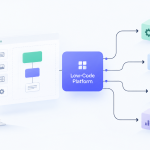
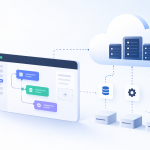
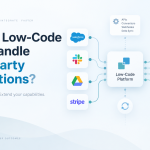
The diagram below shows how an iPaaS platform acts as the central hub, using APIs and Webhooks to connect all your different apps. It’s the glue holding everything together.

As you can see, the iPaaS is what makes it possible to get these tools talking to each other, even though they were never built to work together natively.
Streamlining the Lead Nurturing Process
Lead management is another area just begging for automation. Trying to manually track a potential customer from their first ad click all the way to a sales call is a recipe for disaster. It’s inefficient, and good leads inevitably fall through the cracks.
Think about the journey of a new lead from a Facebook Ad. Without integration, a marketer might have to download a CSV of new leads, upload it to the CRM, and then manually add those people to an email list. It’s tedious and slow.
With no-code integration, this entire sequence becomes a single, fluid motion. The moment a lead comes in, the automation takes over.
Here’s what that looks like in practice:
- Lead Capture: A new lead from a Facebook Ad is automatically added as a contact in your CRM, such as HubSpot.
- Automated Nurturing: The contact is immediately enrolled in a "Welcome" email sequence in a tool like Mailchimp, delivering helpful content to warm them up.
- Sales Assignment: Based on the lead's company size or location, they’re automatically assigned to the right salesperson in the CRM.
- Task Creation: A task is instantly created for that rep to follow up within 24 hours. No lead is ever left behind.
This kind of automation ensures you follow up fast—which is everything in sales—and frees your team to focus on building relationships instead of juggling spreadsheets. This efficiency is why the global no-code AI platform market is projected to hit $75.14 billion by 2034. You can dig deeper into this growth by reading the full market analysis from Fortune Business Insights.
How to Choose the Right No Code Integration Platform
With so many tools promising to automate your business, picking the right no code integration platform can feel overwhelming. The secret is to stop thinking about it as just buying software. Instead, think of it as choosing a central nervous system for your company’s operations. Your choice directly impacts how smoothly data flows and how easily your team can build the workflows they actually need.
So, where do you start? Forget the flashy features for a moment and look at the absolute foundation of any platform: its connector library. This is simply the collection of pre-built integrations the tool offers. Before you even think about pricing, make a list of your non-negotiable business apps—your CRM, email marketing tool, accounting software, and project management system. If a platform doesn't have solid, well-maintained connectors for these core tools, it’s not the right fit. End of story.
A huge library is a great start, but quality trumps quantity every time. You need to dig into the details. Does the Shopify connector only trigger on a "New Order," or can it also see a "New Customer" or an "Updated Order"? Those little differences are what separate a decent tool from a great one.
Evaluate Ease of Use and User Experience
A no code platform is worthless if your non-technical team members can't actually use it. The whole point is to empower people in marketing, sales, and operations—your "citizen integrators"—to solve their own automation problems without calling IT. This makes the user interface (UI) and overall experience (UX) non-negotiable.
Look for a platform with an intuitive, visual drag-and-drop builder. Does it make sense? Can you easily map out a workflow from start to finish without getting lost? Most platforms offer free trials, and you should absolutely use them. Ask a team member with zero experience to build a simple two-step automation, like posting a new blog article to your social media accounts. Their feedback will be the most honest review you can get.
The best platforms strike a balance between simplicity for beginners and power for advanced users. They provide clear guidance for basic tasks while offering features like conditional logic, filters, and multi-step branching for when your needs become more complex.
This is more important than ever, especially since 89% of organizations now use multiple cloud services. That creates a messy web of data that needs to be connected. A good platform simplifies this complexity, while a bad one just adds another layer of confusion. For a deeper dive into these market dynamics, you can read the full analysis of no-code usage trends.
Consider Scalability and Pricing Models
Your business is going to grow, and your integration platform has to be able to keep up. A tool that works perfectly for ten automated tasks a month might completely fall apart when you’re running thousands. Scalability is all about the platform's ability to handle more automations, and more complex ones, without slowing down or breaking.
The pricing model often tells you a lot about a platform's scalability. Pay close attention to how you're being charged. The most common models include:
- Tasks/Operations: You pay for each automated action the platform performs every month.
- Users: The price is based on how many people on your team need access.
- Connectors: Some enterprise-focused plans charge you based on the number of different apps you connect.
Think about where your business is heading. If you plan to automate processes across every department, a task-based model could get expensive fast. On the other hand, if you only have a few power users building automations, a user-based model might save you money.
Comparing No Code Integration Platform Types
To help you narrow down your options, it's useful to understand the main categories of integration tools on the market. Each one is built for a different type of user and a different scale of work.
| Platform Type | Best For | Typical Use Case | Considerations |
|---|---|---|---|
| Simple Task Automators | Individuals and small teams with basic needs. | Syncing contacts from a form to a spreadsheet. | Limited to linear, simple workflows. Can become costly at high volume. |
| Workflow Automation Tools | SMBs and departments needing multi-step logic. | Automating lead nurturing sequences across a CRM and email tool. | More powerful but has a steeper learning curve than simple automators. |
| iPaaS Solutions | Mid-to-large businesses with complex, mission-critical needs. | Integrating custom databases and enterprise systems. | Highest power and scalability, but often requires some technical oversight. |
By carefully evaluating a platform’s connectors, user experience, and scalability, you can find a tool that not only fixes today's headaches but also sets you up for future growth. If you’re looking for more specific recommendations, our guide on the best workflow automation software is a great place to continue your research.
Managing Security and Governance in a No-Code Environment
Letting non-technical staff connect critical business apps can feel a lot like handing over the keys to the kingdom. While no-code integration gives your team incredible power, it also brings up real concerns about data security and a potential loss of control. The solution isn't to lock everything down, but to build a smart framework that offers both freedom and safety.
This is less about being a gatekeeper and more about being a guide. Your goal is to empower your "citizen integrators" to create fantastic workflows while still protecting your company's most important asset: its data. It all starts with picking platforms that take security seriously from the very beginning.
Building a Foundation of Trust with Security Features
When you're looking at a no-code integration platform, security features aren't just nice to have—they're the absolute price of entry. Your first line of defense is making sure the platform handles your data with care, both when it's sitting still and when it’s moving between your applications.
Look for these non-negotiable security pillars:
- Data Encryption: Any platform you consider must encrypt data "at rest" (when stored on its servers) and "in transit" (as it flows between your connected tools). Think of this as the digital equivalent of an armored truck and a secure vault.
- Role-Based Access Control (RBAC): Not everyone on the team needs the admin password. RBAC lets you define who can do what, ensuring a marketing intern can’t accidentally change financial records in QuickBooks. It's about giving people just enough access to do their jobs, and no more.
- Audit Logs: Things go wrong. An audit log gives you a clear, time-stamped trail of who did what and when. This is invaluable for tracking down errors, understanding what happened during a security event, and maintaining accountability.
These features create the technical backbone for a secure no-code setup, giving you the visibility you need to operate with confidence.
Creating a Simple Governance Framework
"Governance" sounds stuffy and bureaucratic, but it doesn't have to be. For no-code, a simple governance model is just about setting clear rules of the road. This helps you prevent chaos and, more importantly, avoid the spread of "shadow IT"—where different departments spin up their own unsupported and insecure tech stacks.
A good governance plan doesn’t stifle creativity; it channels it. By setting clear boundaries and providing best practices, you give users a safe sandbox to build in.
Your framework should cover a few key areas:
- Approved Tools: Keep a curated list of no-code platforms and apps that have been vetted for security, reliability, and business fit.
- Data Handling Policies: Create simple, easy-to-understand rules about what kind of data can be used in automations. For example, you might restrict workflows from moving personally identifiable information (PII) without a specific review.
- Ownership and Maintenance: Decide who is responsible for building, monitoring, and fixing an automation before it goes live. This prevents workflows from breaking and becoming "orphaned" when an employee changes roles or leaves the company.
This kind of structure helps focus your team's innovative energy, ensuring their creations align with business goals and security standards. For a deeper dive, you can find more on security considerations in low-code development which are highly relevant here as well.
Ultimately, by choosing secure tools and establishing clear, simple guidelines, you can unlock the full potential of no-code integration. This approach lets you move faster and work smarter without exposing your business to risk.
Your First No Code Integration Project Checklist

Diving into no code integration can feel like a huge commitment, but the secret is to start small. Your first project isn't about overhauling your entire operation overnight. The real goal is to get a quick, tangible win that proves the value of automation and builds momentum for bigger things down the road.
This checklist is your guide to nailing that first project. It will help you pick the right process to automate and sidestep the common pitfalls that trip so many people up.
Step 1: Identify a High-Impact Manual Process
Before you even think about which platform to use, you need to find the perfect candidate for automation. Resist the temptation to tackle your most complicated workflow. Instead, look for a task that is:
- Repetitive: Something a team member does over and over, whether it's every day or every week.
- Simple: A process that involves moving data between just two or three specific apps.
- High-Impact: A spot where a simple manual mistake causes big headaches or takes a lot of time to fix.
A classic example is manually copying lead details from a website form into your CRM, and then again into your email marketing tool. It’s tedious, prone to typos, and practically begging for a no code solution.
Step 2: Map the Current Workflow
Once you've picked your process, it's time to map it out exactly as it is today. You don't need fancy software—a simple flowchart or even a bulleted list will do. The important part is to document every single step, no matter how small it seems.
This exercise forces you to get an honest look at the process and often uncovers hidden problems. You might find out you’re about to automate a workflow that's already broken. It’s always better to fix the underlying process before you try to automate it.
Never automate a mess. Automating a clunky or inefficient process just helps you create more problems, only much faster. Take the time to clean up the manual workflow first.
Step 3: Build and Test Your Integration
Alright, now for the fun part. With your clear workflow in hand, you can pick a no code platform and start building. Be sure to make the most of any free trials to get a feel for the tool.
As you build, stick to these testing best practices:
- Use Test Data: Never, ever use live customer or financial data when building an integration for the first time. Create dummy accounts or look for a "sandbox" mode if the platform has one.
- Test Each Step: Run your workflow and then check the results at each stage. Did the contact actually get created in the CRM? Was the correct tag applied in your email tool?
- Test for Errors: Go out of your way to break your automation. What happens if a form is submitted with a missing email address? A solid integration should handle these hiccups gracefully instead of just crashing.
Step 4: Deploy and Monitor
After you've tested everything thoroughly, it’s time to go live. But your job isn’t quite finished. For the first few days, you need to keep a close eye on your new automation to make sure it's running exactly as planned.
This is critical: you must set up error notifications. Most platforms can ping you with an email or a Slack message the second an automation fails. Without these alerts, a broken workflow could run amok for days, creating a much bigger mess than the manual process ever did. This proactive monitoring is the bedrock of a reliable no code integration strategy.
Frequently Asked Questions About No Code Integration
When people first start looking into no code integration, the same few questions always seem to pop up. It's completely normal—you're trying to figure out if this is just hype or a real solution for your business.
Let's clear up some of the most common points of confusion so you can get started with a solid game plan.
Can No Code Tools Handle Complex Workflows?
Yes, they absolutely can. It’s a fair question, especially since the first wave of no-code tools were pretty basic, mostly handling simple "if this, then that" tasks. But the game has changed completely. Today's platforms are built to manage intricate, multi-step processes that are the backbone of a real business.
They do this with some surprisingly sophisticated features:
- Conditional Logic: This is how your automations make decisions on their own. Think of it like a fork in the road. For example, you can build a workflow that checks if a new order is over $500. If it is, the system automatically adds a "VIP" tag to that customer's profile in your CRM.
- Branching Paths: You can design workflows that split off in multiple directions depending on the data. A new support ticket comes in? The workflow can scan it for keywords. If it finds "bug" or "error," it routes the ticket to the engineering team; if it sees "invoice" or "payment," it goes straight to billing.
- Data Formatting: Good platforms don't just move data—they clean it up along the way. They can automatically format phone numbers, standardize addresses, or trim extra spaces from a name field, preventing messy data from ever entering your apps.
With these features, you can stop trying to simplify your processes to fit a tool. Instead, you can build automations that actually work the way your business does.
What Is the Difference Between No Code and Low Code?
This one trips a lot of people up. The easiest way to think about it is to ask: who is it for?
No code platforms are designed for the people doing the work—the marketers, the sales reps, the project managers, the operations pros. Everything is done through a visual, drag-and-drop interface. You’re not writing code; you’re connecting blocks and setting rules, much like drawing a flowchart.
Low code, on the other hand, is a tool for developers. It gives them a head start with visual builders but allows them to inject custom code (like JavaScript or Python) whenever they need to tackle a highly specific problem or build a unique feature. Low code helps developers build faster, while no code empowers non-developers to build for themselves.
How Do I Manage Automation Errors?
This is probably the most important question of all. An automation that fails silently is worse than no automation at all. A quality no code integration platform is built with the expectation that things will sometimes go wrong—an app's server might be down for a minute, or an API key could expire.
Your platform absolutely must have strong error-handling tools. Look for these three things:
- Built-in Logging: You need a clear, detailed history of every time your automation has run. When something breaks, this log is the first place you’ll look to see exactly which step failed and why.
- Automatic Retries: Temporary glitches happen. A good tool can be set to automatically retry a failed step a few times over a couple of minutes. This simple feature solves a surprising number of issues without you ever needing to intervene.
- Error Notifications: This is non-negotiable. The moment a workflow fails for good, the platform must alert you immediately via email or a Slack message. This lets you jump in and fix the problem before it causes a real headache for your team or your customers.
With these safeguards in place, you can have real confidence that your automations are reliably running your business in the background.
Ready to stop wasting time on manual tasks and start building a more efficient business? At Low-Code/No-Code Solutions, we provide the expert guides and platform comparisons you need to make the right choice. Discover your ideal automation tool today!






Add Comment