



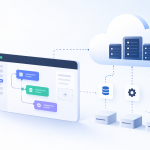
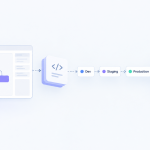

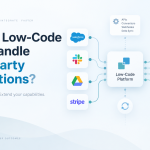

No-code development is a way for just about anyone to build software and applications without having to write a single line of code. It relies on visual, drag-and-drop interfaces and ready-made components, making software creation feel more like assembling digital LEGOs than complex engineering.
What Exactly Is No-Code Development?

Think about building something with a box of LEGOs. You don’t need a degree in plastic engineering to build an elaborate castle. You just grab the pre-made bricks—walls, windows, doors—and snap them together. That’s the perfect way to understand no-code development.
Instead of typing out commands in a programming language, you work inside a visual editor. You might drag a "button" element onto a screen, add a "customer form," and then set up a simple rule: "When a user clicks this button, send their form data to that spreadsheet." No syntax, no semicolons, just straightforward logic.
At its core, no-code is about abstraction. It takes the immense complexity of traditional software development and hides it behind an intuitive, user-friendly interface. This approach empowers the people who actually understand the business problems to build the solutions themselves.
This shift is fundamentally changing who gets to be a "creator." It’s no longer a world reserved for highly trained developers. Now, a marketing manager can quickly build a custom app to track a new campaign, or an HR lead can create an automated onboarding portal for new hires—all in a fraction of the time and cost it would traditionally take.
To help clarify the core ideas behind no-code, this table breaks down its fundamental principles.
Core Principles of No Code Development at a Glance
| Principle | What It Means in No Code | Traditional Coding Equivalent |
|---|---|---|
| Visual Interface | You build by dragging and dropping pre-made components onto a canvas. | Writing HTML/CSS to structure the front-end. |
| Declarative Logic | You define what you want to happen, not how to do it (e.g., "On button click, show message"). | Writing JavaScript functions to handle events. |
| Data Abstraction | You connect to data sources through simple configuration menus, not complex code. | Writing SQL queries and API calls to fetch data. |
| Pre-Built Components | The platform provides functional blocks like user authentication, forms, and charts. | Building these features from scratch or integrating libraries. |
Essentially, no-code platforms handle the complicated "how" so that you can focus entirely on the "what."
The Power of Visual Creation
The engine that makes no-code work is often called visual programming. Instead of writing text-based code, you connect visual elements to build application logic and user interfaces. This approach dramatically lowers the barrier to entry, making it possible for anyone comfortable with modern software to start building useful tools.
And businesses are taking notice. The no-code market is expanding rapidly as organizations look for ways to innovate faster. The market grew from $22.11 billion in 2023 to an estimated $28.11 billion in 2024—an impressive compound annual growth rate (CAGR) of 27.1%. Projections show this isn't slowing down, with the market expected to reach $73.84 billion by 2028.
This growth is giving rise to a new role in the workplace: the citizen developer. These are employees who have deep domain expertise—in finance, marketing, operations—but little to no formal coding experience. They use no-code platforms to solve their own team's problems, building the exact tools they need.
They aren’t replacing professional developers. Far from it. They are actually freeing up IT and engineering teams to focus on the big, complex, mission-critical systems, while the citizen developers handle smaller, departmental needs. No-code isn't about getting rid of code; it's about making the power of software creation accessible to everyone.
Of course. Here is the rewritten section with a more natural, human-expert tone.
The Business Case for Adopting No-Code
So, you understand what no-code is. The real question for any business leader is, why should you care? The answer is simple: it’s about swapping slow, expensive development cycles for fast, affordable problem-solving. No-code platforms change the game by redefining who can build, how quickly they can work, and what it costs to get an idea off the ground.
Think about a small business that needs its first customer portal. The old way meant writing a detailed project scope, hiring developers, and then waiting months for something you could actually use. With a no-code tool, the head of customer success—the person who knows the customer best—could build and launch that portal in a few weeks. That’s not just an improvement; it's a fundamental shift in how work gets done.
This incredible speed is one of the biggest draws. When you empower your teams to build their own solutions, you sidestep the traditional IT bottlenecks that kill momentum and delay projects.
Driving Serious Speed and Efficiency
Moving from a rough idea to a live application at this pace gives you a massive competitive advantage. We’re not talking about a small tweak in productivity. This is a total change in your company’s internal clock speed.
Reports consistently show that no-code platforms can slash application development time by up to 70%. Some teams have even seen timelines shrink by an astonishing 90%. Projects that once took an entire quarter can now be finished in a matter of weeks.
This efficiency sends positive ripples across the entire business. Research points to developer productivity jumping by as much as five times compared to old-school coding, and time-to-market for new apps improving by a factor of three to four. You can dig deeper into these numbers by exploring the latest low-code platform market research. This kind of speed means you can test ideas, react to market shifts, and fix internal process headaches faster than you ever thought possible.
The Rise of the Citizen Developer
One of the most valuable results of bringing in no-code is the emergence of the citizen developer. These aren't programmers. They’re smart, motivated people from marketing, HR, finance, or operations who see a problem and now have the tools to fix it themselves.
They’re the ones with deep knowledge of their department's day-to-day needs, but they don’t know how to code. No-code hands them a toolkit to turn their expertise into real, working applications.
For instance:
- An HR manager builds a slick onboarding workflow that automatically sends welcome emails, assigns tasks, and collects new-hire paperwork.
- A marketing team creates a live dashboard that pulls in data from five different platforms to track campaign performance in one place.
- An operations lead designs a simple inventory management app that warehouse staff can use on their phones.
By empowering these folks, you’re not trying to replace your professional developers. Far from it. You’re actually freeing them up. Instead of getting buried under a mountain of requests for small internal tools, your IT team can finally concentrate on the big, strategic projects that truly need their expertise—things like system architecture, data security, and complex integrations.
Calculating the Clear Return on Investment
Ultimately, the business case for no-code comes down to a clear and compelling return on investment (ROI). The financial upside isn't just about speed; it's much bigger than that.
Look at the hard costs. A single software developer’s salary can easily run into six figures. In contrast, a no-code platform subscription for an entire team is often just a fraction of that cost. When you enable the employees you already have to build what they need, you avoid the high price tag and long search for specialized developers. In fact, studies show that 41% of non-IT employees are already building apps with these tools, proving there's a huge, untapped resource for innovation right inside your own company.
Choosing Your Path: No Code vs. Low Code vs. Full Code
When you need to build a piece of software, deciding on the right approach can feel overwhelming. It's a lot like figuring out what to make for dinner—your choice depends entirely on your skills, your budget, and how much time you have. Let's break down the development landscape using this simple analogy.
Think of no-code development as ordering takeout from your favorite restaurant. You get a fantastic, reliable result almost instantly. You don't need to know the first thing about cooking; you just have to know what you want. It’s all about speed and simplicity.
Understanding the Spectrum of Development
Sitting in the middle of the spectrum is low-code, which is a lot like using a meal-kit service. You get a box with all the ingredients pre-measured and a step-by-step recipe card. It dramatically simplifies the process, but you still have to do some work—chopping, searing, and plating. This approach gives you more control than takeout but requires some basic skills.
Finally, you have full-code development. This is the equivalent of a professional chef creating a new dish completely from scratch. You source every ingredient, invent the recipe, and control every single detail. It offers unlimited creative freedom but demands deep expertise, a lot of time, and a significant budget.
If you're leaning toward the speed and simplicity of no-code, this decision tree can help you confirm if it’s the right fit.

As the chart shows, when you have a clear business need and speed is a priority, building with a no-code platform is often the most direct path. It works best when your requirements fit within the tool’s existing capabilities.
How to Choose the Right Approach
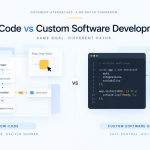
Every development method has its place. The real trick is matching the tool to the task. To help you choose the right path for your project, this head-to-head comparison breaks down the key differences between each approach. For a deeper dive, you can explore the nuances between low-code vs. no-code methodologies, but this table provides a great starting point.
No Code vs. Low Code vs. Full Code Feature Showdown
| Attribute | No Code | Low Code | Full Code |
|---|---|---|---|
| Primary User | Business users, citizen developers, entrepreneurs | Professional developers, IT teams, skilled business users | Professional software engineers and developers |
| Required Expertise | None. Familiarity with software is enough. | Basic to intermediate coding knowledge required. | Advanced programming and system architecture skills. |
| Development Speed | Fastest. Apps can be built in hours or days. | Fast. Faster than full-code but slower than no-code. | Slowest. Development can take months or years. |
| Customization | Limited to the platform's pre-built components and features. | High. Allows custom code to extend functionality. | Unlimited. Bound only by the developer's skill. |
| Best For | Internal tools, simple customer apps, automating workflows. | Core business processes, apps needing API integrations. | Highly specialized, complex, or large-scale systems. |
| Cost | Lowest. Typically a predictable monthly subscription. | Moderate. Subscriptions plus some developer costs. | Highest. Involves significant developer salaries and overhead. |
The key takeaway? There's no single "best" method—only the best method for a specific job. Using no-code for a simple internal dashboard is a smart move. Trying to build the next global social network with it? Probably not.
It's also important to remember that these approaches aren't mutually exclusive. Many smart companies use a mix. The marketing team might use a no-code tool to spin up landing pages, while IT uses a low-code platform to streamline internal processes, and a dedicated dev team works in full-code on the company's core product. Understanding the strengths of each allows you to build a more flexible, efficient, and cost-effective tech strategy.
Real World Examples of No Code in Action
It’s one thing to talk about no-code development in theory, but seeing it solve actual business problems is where it all clicks. Across every industry, companies are using these platforms to get things done faster, automate mind-numbing work, and empower their teams to solve their own problems.
Let's look at a few tangible examples of how different departments are putting no-code into practice and getting real results. These are cases where people saw a problem and, instead of just filing another IT ticket, they started building the solution themselves.
The core value of no-code isn't just about building apps without code; it's about closing the gap between a business problem and a functional solution. It puts the power to create directly into the hands of the people who best understand the challenge.
When you hand these tools to your subject matter experts, you tap into a huge source of innovation that was previously out of reach. It fundamentally changes how a business can adapt and improve from the inside out.
Automating the HR Onboarding Process
Picture a growing company where the HR department is drowning in manual tasks for every new hire. They're juggling offer letters, collecting tax forms, assigning training modules, and chasing down IT for equipment. It's a chaotic process full of human error, and frankly, it makes for a terrible first impression on new employees.
Tired of the mess, the HR manager uses a no-code platform to build a dedicated onboarding portal. This new system connects all the dots into one smooth workflow:
- Automated Triggers: As soon as a candidate is marked as "hired," the system automatically sends a welcome email with a link to their personal onboarding portal.
- Centralized Task Management: The new hire gets a simple checklist where they can complete all their paperwork digitally. No more printing and scanning.
- Cross-Departmental Notifications: Once the forms are signed, the platform automatically pings IT to set up a laptop and notifies the hiring manager to schedule a welcome meeting.
The result? The HR team gets countless administrative hours back. But more importantly, every new employee gets a professional, organized, and welcoming experience from day one, which goes a long way toward improving satisfaction and retention.
Creating a Custom Marketing Dashboard
A marketing team is struggling to get a clear picture of campaign performance. Their data is all over the place—some in Google Analytics, some in their email platform, and more scattered across different social media ad accounts. Every single week, someone wastes hours manually pulling numbers into a spreadsheet just to build a report for leadership.
The marketing director uses a no-code tool with pre-built connectors to pull all their data sources into a single, real-time dashboard. In a few hours, they've created a visual interface that shows website traffic, conversion rates, and ad spend as it happens.
Now, anyone on the team can see performance at a glance, making it easy to spot what’s working and what isn’t. This one change eliminated hours of tedious data entry and gave the team instant access to the insights they needed to make better decisions. You can find more practical examples like this by exploring these 10 examples of no-code and low-code use cases.
Launching a Client Booking System
Think about a small consulting firm that still relies on endless email chains to schedule client meetings. This back-and-forth is not only a time sink but also leads to double bookings and frustrates potential clients—sometimes even costing them business.
The owner decides to use a no-code platform to build a simple booking system right into their website. Now, prospective clients can see available time slots, book a consultation, and even submit a payment, all in one seamless flow. The system automatically syncs with the owner’s calendar to avoid conflicts and sends reminders to everyone involved.
This straightforward no-code app completely overhauls their client acquisition process. It saves a ton of administrative time and presents a much more polished, professional image from the very first interaction.
The Future Is No Code Plus AI

The next big step for no-code development is already here: its merger with Artificial Intelligence (AI). This isn't just about building apps faster anymore; it's about building smarter ones. By embedding AI capabilities directly into the visual, drag-and-drop interfaces we know, no-code platforms are giving machine learning to the business users who need it, not just the data scientists who traditionally guard it.
Think about a marketing manager building a tool that actually predicts customer churn from recent behavior. Or an operations lead creating an app that uses image recognition to automatically sort and categorize new inventory. These were once complex projects requiring specialized talent and a hefty budget. Now, they're becoming realities for the people on the ground who understand the business problems best.
This combination of no-code and AI is a game-changer. It's putting advanced technology into the hands of a much wider audience, letting businesses of all sizes build intelligent automated workflows and create genuinely personal customer experiences without needing a dedicated AI team.
This newfound accessibility is what’s fueling so much growth and opening up entirely new possibilities. The market for no-code AI platforms is proof that businesses are jumping on these tools, and fast.
The Tangible Business Impact of AI in No-Code
When AI becomes just another building block in your no-code toolkit, the kinds of practical solutions you can build multiply overnight. This isn't science fiction; it's about solving real-world challenges right now. By dropping in AI models for tasks like text analysis, forecasting, or data interpretation, you can add a layer of intelligence to almost any application you can imagine.
This is already creating real value for businesses in a number of ways. For example:
- Intelligent Customer Service: A support manager can build a chatbot that not only pulls up FAQs but also analyzes a customer's message to gauge their frustration, automatically escalating urgent issues.
- Smarter Sales Forecasting: A sales director can create a custom dashboard that crunches past performance, market trends, and team activity to produce more reliable sales forecasts—all within a simple visual environment.
- Automated Content Creation: A content team can use an AI integration to draft product descriptions, generate social media posts, or summarize lengthy reports, all kicked off by a simple workflow.
These applications are a huge leap beyond basic automation. They bring predictive and analytical power to the front lines, helping teams make better decisions, find hidden opportunities, and deliver a more responsive, personalized experience to their customers.
Market Growth Signals a Strategic Shift
The rapid move toward no-code AI isn't just a feeling; the numbers show a market about to see massive expansion. The global no-code AI platforms market hit $4.28 billion in 2024 and is projected to skyrocket to $44.15 billion by 2033. That’s a compound annual growth rate (CAGR) of a staggering 30.2%.
North America, led by the US, currently holds a 39.6% share of this market, largely driven by the intense need for business process automation and smarter workflows. You can dig deeper into the trends behind this growth by checking out the latest low-code platform strategic analysis report.
This data confirms that the answer to "what is no code development" is changing. It's moving from being a tool for simple apps to becoming a core platform for building the next generation of intelligent business solutions.
The Hard Truths: Navigating No-Code Limitations
As great as no-code is, it’s not a magic wand. You have to go in with your eyes wide open, fully aware of the trade-offs. Honestly, knowing the limitations is what separates a successful no-code initiative from a frustrating dead end.
Let’s talk about platform lock-in, because it’s a big one. When you build your app on a platform, you’re not just using a tool; you’re buying into an entire ecosystem. Moving a complex application from one no-code vendor to another isn’t like transferring a file. Most of the time, it means starting over from scratch. This dependency ties you to the vendor's pricing models, feature roadmaps, and their overall business health.
Think of it this way: no-code gives you incredible speed inside a pre-built playground. The catch is that you can't change the playground's rules or easily pack up your creations and move them to a different park.
Choosing a platform is a serious commitment. You're placing a bet on their future, so you need to be confident they'll be around and continue to support the functions your business depends on.
Performance and Scalability Ceilings
Another reality check comes with performance, especially at a massive scale. No-code platforms are fantastic for building internal dashboards, customer portals, and most everyday business apps. But would I build a global e-commerce site on one, expecting it to handle a Black Friday rush? Probably not.
Even though the best platforms run on solid cloud infrastructure, they're designed for broad, general use—not for one single app consuming enormous, concurrent resources. With custom code, a developer can fine-tune every database query and server setting to squeeze out every millisecond of performance. That level of granular control just isn't there in a no-code environment.
The same goes for customization. You can do amazing things with the building blocks a platform provides. But if you need a truly one-of-a-kind feature or a proprietary algorithm, you'll eventually hit a wall that only custom code can break through.
Keeping a Lid on Security and Governance
When you empower more people to build their own solutions—a huge win for agility—you also create a new headache for IT. How do you make sure that the dozens of new apps popping up aren't mishandling sensitive data or opening up security holes?
This is where a solid governance framework stops "citizen development" from turning into "shadow IT" chaos. Without clear guardrails, you risk a messy and insecure free-for-all. A smart governance plan is your best defense.
Here’s a practical checklist to get you started:
- Platform Vetting: First, does the platform itself meet your company's security standards? Look for things like data encryption, access logs, and key compliance certifications like SOC 2 or GDPR.
- Access Controls: Can you control who builds apps and, more importantly, what data they can connect to? Role-based permissions are non-negotiable.
- Data Management Policies: Be crystal clear about what data is off-limits. Define rules for handling personal information (PII), financial records, or other sensitive data.
- Review and Approval Process: You don't need a heavy, bureaucratic process, but you do need a lightweight review before an app goes live. This is a simple check to ensure it's secure, stable, and meets basic quality standards.
By planning for these limitations from the start, you can confidently tap into the power of what is no code development without getting burned by the potential risks.
Common Questions About No Code Development
Thinking about bringing no-code into your business always raises a few practical questions. It's a powerful way to build software, but it's smart to know exactly where it shines and where its limits are. Let's clear up some of the most common points of confusion so you can move forward with confidence.
Can I Really Build a Complex Application with No Code?
Yes, though "complex" means different things to different people. No-code platforms are fantastic for building sophisticated business applications. We're talking custom CRMs, highly detailed project management tools, and client portals with all the bells and whistles—things with intricate workflows, multiple data connections, and user-specific views.
The line is usually drawn at applications that need to handle extreme transaction volumes, like a major e-commerce site on Black Friday, or those that depend on very specialized, proprietary algorithms. For the huge majority of internal tools and customer-facing apps, today's no-code platforms have more than enough muscle.
Is No Code Development Secure Enough for My Business?
Absolutely. Any reputable no-code platform is built on top of rock-solid cloud infrastructure like AWS or Google Cloud. These providers pour massive resources into enterprise-grade security, handling things like server patching, data encryption, and compliance certifications (like SOC 2) so you don't have to.
The key to security isn't just the platform; it's how you use it. The best practice is to choose a well-established vendor and then use built-in features like role-based access controls to carefully manage who can build apps and what data they can access.
Will No Code Development Replace Traditional Developers?
This is probably the biggest misconception out there. The answer is no—it actually empowers them. No-code is perfect for handling the constant stream of requests for internal tools, simple dashboards, and automated workflows that can easily overwhelm an IT department. This frees up your professional developers.
Instead of getting bogged down building another basic report or data entry form, your expert engineers can focus on what they do best:
- Architecting the complex, mission-critical systems that run the business.
- Managing core infrastructure and high-level data security.
- Driving strategic technology initiatives that require deep, specialized coding knowledge.
It’s a partnership, not a replacement.
How Much Do No Code Platforms Typically Cost?
The pricing varies quite a bit, but it’s almost always a better deal than hiring a new development team. Most platforms offer free or very affordable plans for individuals or tiny projects, which is the perfect way to test the waters.
For businesses, plans typically run from $25 to a few hundred dollars per user per month. Naturally, enterprise-level plans with advanced security, dedicated support, and unlimited apps will be more. The smartest way to look at the cost is to compare a platform’s annual subscription fee to the fully-loaded salary of a single developer. The potential savings become very clear, very quickly.
Ready to stop waiting on IT backlogs and start solving business problems today? Explore the world of visual development with Low-Code/No-Code Solutions. Our guides and platform comparisons give you the insights you need to choose the right tools and accelerate your innovation. Discover your next solution at https://lowcodenocodetool.com.






Add Comment