








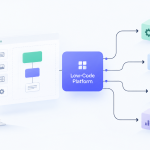


So, you want to automate your business processes. The idea is simple: find those repetitive, rule-based tasks that eat up your day, use a low-code tool to connect your apps and design a new workflow, and then watch it run on its own. The real secret is to start small. Focus on high-impact activities like data entry or sending follow-up emails—you'll see the benefits almost immediately.

Business Process Automation Isn't What It Used to Be
Let's get one thing straight: when we talk about automation in 2026, we’re not talking about massive, expensive IT projects that take months to complete. The old way of thinking—that you need a team of developers to write complex code—is officially outdated.
Today, a new wave of low-code and no-code platforms is putting powerful automation tools into the hands of the people who actually do the work. This guide is built to solve a problem I see constantly with small and midsize businesses: they're drowning in manual tasks that drain time, create unnecessary errors, and flat-out stall their growth.
This isn't just a small shift; it's a complete re-imagining of how work gets done. The global low-code development market exploded to $26.9 billion in 2023, a nearly 20% jump in just one year. With a projected 1.2 million developer shortage in the U.S. looming by 2026, it's clear why companies are rushing to adopt these tools. They're building the solutions they need 50-70% faster and slashing costs in the process.
A Simple Framework for Your First Automation
The best part about modern automation is its simplicity. I’m going to walk you through a straightforward, four-phase framework that makes this entire process manageable, whether you're a business owner, a team lead, or just someone tired of copy-pasting data all day.
Before we get into the nitty-gritty, here’s a quick overview of the road ahead.
Your First Automation Framework at a Glance
| Phase | Objective | Key Action |
|---|---|---|
| Identify | Find the best starting points for automation. | Pinpoint repetitive, time-consuming tasks with clear rules. |
| Design | Map out your new, automated process. | Use a visual, drag-and-drop builder to create the workflow logic. |
| Implement | Bring your automation to life. | Connect your apps (like your CRM, email, and spreadsheets) and go live. |
| Measure | Prove the value and find what's next. | Track key metrics like time saved and errors eliminated to calculate ROI. |
This framework strips away the complexity and focuses on getting you from idea to a working automation as quickly as possible.
My goal here is to prove you don't need a computer science degree to get massive results from automation. It’s all about making powerful technology practical for your business so you can win back your time and focus on what really moves the needle: growth.
This approach works so well because it empowers the people who understand the business processes inside and out—your team. A marketing manager can automate a lead nurturing sequence in an afternoon without filing a single IT ticket. An HR coordinator can build an entire employee onboarding workflow in a day. That's the power we're tapping into. If you want to dig deeper, it’s worth exploring the core benefits of low-code platforms for businesses today.
Finding and Prioritizing What to Automate First
You know you need to automate, but staring at all your business processes can feel a bit like trying to boil the ocean. It’s easy to get excited and want to automate everything, but that’s a fast track to getting overwhelmed. The real key is to pick the right first project.
Your goal is to find the low-hanging fruit—those quick wins that give you immediate value. We're hunting for the tasks that are a constant drain on your team's time and energy, the ones that make people groan.
What Makes a Process Ripe for Automation?
Instead of just guessing, I always have my clients run their ideas through a simple checklist. You don't need to check every box, but a process that meets at least two of these criteria is usually a fantastic place to start.
It’s a broken record. Think about the things your team does on autopilot every single day. Maybe it's copying and pasting new lead information from an email into your CRM, or manually pulling numbers to build the same weekly sales report. If it's done the same way over and over, it’s a perfect candidate.
It follows simple rules. The best automations work on clear "if this, then that" logic. For example, "if a new invoice is marked as paid, then move the client's project card from 'Invoiced' to 'In Progress'." Tasks that require a lot of creative thinking or complex judgment calls are not where you want to begin.
It happens a LOT. Automating something you do once a month is nice, but automating a task that happens 50 times a day? That’s where you see a massive impact. The more frequent the task, the more time you save, and the faster you’ll see a return on your investment.
It’s an easy place to make mistakes. Let's face it, tedious data entry is boring, and boredom leads to typos. A misplaced decimal in an invoice or a wrong email address can cause headaches that take hours to fix. Automation acts as a safeguard, performing the task with perfect accuracy every time.
A Quick Trick for Prioritizing: The "Impact vs. Effort" Score
To turn a list of potential automations into a clear action plan, I use a simple scoring method. It’s a great way to put a number on that gut feeling about what to tackle first.
For each process you’re considering, give it a score from 1 to 5 on two factors:
- Impact Score (1-5): How much value will this automation create? Think about hours saved, errors eliminated, or improvements to your customer's experience.
- Effort Score (1-5): How hard will it be to build this automation? Consider how complex the process is and how many different apps you need to connect.
Then, just do some simple math to find your Automation Potential Score.
Automation Potential Score = Impact Score – Effort Score
A high score (like a 3 or 4) is a green light—it means high impact for low effort. A negative score is a red flag, telling you the project is probably too complicated for a first attempt.
Here’s how this looks for a typical small business:
| Process to Automate | Impact Score (1-5) | Effort Score (1-5) | Automation Potential Score | Priority |
|---|---|---|---|---|
| Monthly Invoicing | 5 (Saves hours, ensures accuracy) | 2 (Simple rules, standard apps) | 3 | High |
| Client Onboarding | 4 (Improves experience, saves time) | 3 (Multiple steps and apps) | 1 | Medium |
| Social Media Scheduling | 3 (Consistent posting) | 1 (Very easy with dedicated tools) | 2 | High |
| Custom Financial Analysis | 5 (High value insights) | 5 (Complex logic, custom data) | 0 | Low |
Looking at the table, monthly invoicing and social media scheduling are the clear winners. They deliver a great return without a huge upfront effort. If you need more ideas, there are plenty of fantastic examples of no-code and low-code use cases that are well-suited for any growing business.
Draw It Out to Find the Real Problem
Once you've picked your top candidate, the last step before you build anything is to map out the process. I mean literally draw it out on a whiteboard or write down every single step. This is where the magic happens.
Take that client onboarding process, for example. Your map might look like this:
- Client signs the contract and emails it back.
- You manually create a new client folder in Google Drive.
- You copy their name, email, and company into your project management tool.
- You send a pre-written welcome email with a link to book their kickoff call.
- You add a task to your own calendar to check in with them in one week.
Laying it out like this instantly shines a spotlight on the weak points. Steps 2, 3, and 4 are all manual, repetitive, and just begging to be automated. By doing this, you're not just automating a task—you're intelligently redesigning a workflow and ensuring you focus your efforts where they'll make the biggest difference.
Alright, you've picked a process that's ripe for automation. Now for the fun part: actually building it.
If you’re picturing lines of complex code, don't. Modern low-code tools have turned workflow design into a visual, drag-and-drop exercise. It's less like programming and more like drawing a flowchart that your software can actually run.
Let's walk through a classic example for a small business: a new lead fills out a contact form on your website. Manually, that kicks off a chain of tedious tasks. You have to spot the email notification, copy-paste the details into a spreadsheet or CRM, and then try to remember to send a follow-up email. It's a perfect candidate for automation—it’s repetitive, rule-based, and easy to mess up when you get busy.
The Basic Language of Automation
When you first open an automation tool, it can look a little intimidating. But once you get the hang of it, you'll see every workflow is built from just three core ingredients. Grasp these, and you can build almost anything.
Triggers: This is the starting pistol for your workflow. It's the specific event that sets everything else in motion. For our new lead, the trigger is a "New Form Submission." It's the "when this happens…" part of your command.
Actions: These are the jobs you want your automation to do. Think of them as the "then do this…" steps. Our first action would be to "Create a New Contact" in your CRM. The next action would be to "Send an Email" using a welcome template you've already written.
Conditions: This is where the real magic happens. Conditions add a layer of intelligence, creating forks in the road for your workflow. You could add a condition that says, "If the lead checked the 'Request a Demo' box, then notify the sales team on Slack." If not, it just continues with the standard welcome email.
You're essentially just snapping these digital bricks together. The beauty of it is that you can see the entire process laid out visually, which makes it incredibly easy to find gaps or think of new ways to improve it.
The diagram below shows the kind of thinking that goes into choosing these tasks before you even start building.

As you can see, the best processes to start with are the ones that are not only repetitive but also have a high impact on how your business runs.
Making Your Tools Talk to Each Other
The real power of automation platforms is their ability to act as a go-between for all the different apps you use. Your website, your email, your project manager, and your spreadsheet software were never designed to communicate directly. Automation tools build the bridges that let them share information automatically.
When you're designing a workflow, you'll simply authorize the platform to connect to your other apps. You’re just giving it instructions: "When a new entry appears in this Google Sheet, create a task for it in Asana, and then send me a Slack message." This alone can save you from hours of mind-numbing data entry every week.
This is a fundamental shift in how you work. You stop doing the repetitive task and instead focus on designing the system that does it for you, flawlessly, every single time.
This trend is exploding. Low-code platforms are on track to handle 75% of all new application development by 2026. What’s really interesting is that "citizen developers"—people in marketing, sales, and operations with no formal coding background—now make up 80% of the user base. They’re building workflows five times faster than their IT departments could.
A Few Tips for Building Clean Workflows
It’s tempting to build a massive, 20-step workflow right out of the gate, but that's usually a recipe for confusion. Here are a few hard-won tips for keeping your automations clean, manageable, and easy to fix if something goes wrong.
Name every step clearly. Don't leave the default names like "Send Email" or "Update Row." Change them to "Send Welcome Email to New Lead" or "Update Contact Status to 'Contacted'." You’ll thank yourself six months from now when you need to make a change.
Start small, then expand. Get the core automation working first (e.g., Form > Add to CRM > Send Email). Once you’ve confirmed that it runs without a hitch, you can start adding more layers, like conditions or internal notifications.
Use templates and test everything. Instead of writing your email copy directly in the automation builder, create a template in your email client and just tell the automation to use it. It's much easier to edit. And always, always test your workflow with your own email address before you let it loose on actual customers.
Building that first automation is a huge milestone. The goal isn't just to shave a few minutes off your day; it's to create a more reliable and efficient engine for your business. By understanding the building blocks and following a few simple rules, you can put powerful systems in place with no technical background needed.
For a closer look at the platforms that make all this possible, check out our guide on the best workflow automation software on the market today.
Putting Your New Automation to the Test

You've mapped out the logic and built your workflow. Now comes the moment of truth. Getting an automation live isn't just a matter of hitting "publish" and walking away. It’s a deliberate, methodical process to make sure your creation does its job flawlessly without creating new headaches.
Think of this as the final dress rehearsal. You need to run the entire sequence in a controlled environment before it ever touches real customer data. This is where you catch the small mistakes that could otherwise turn into major problems.
Your First Line of Defense: The Sandbox
Any serious automation platform—whether it's Zapier, Make, or another tool—will give you a way to test your work. This is usually called a "sandbox environment" or a "test mode," and it's absolutely critical to use it.
Before you even think about going live, run the automation with dummy data. If you’ve built an invoicing workflow, create a fake company and use your own email as the contact. If it’s a new lead follow-up, submit the form yourself.
This simple step lets you see exactly how the automation behaves from start to finish. You’ll be able to spot issues like:
- Formatting mistakes: Is the customer's name formatted correctly in the outgoing email?
- Logic gaps: Did your "if/then" branch send the data down the right path?
- Timing glitches: Did the welcome email fire instantly, or was there an unexpected delay?
A few minutes spent here can save you hours of damage control later.
I can't stress this enough: never skip testing. I once saw a company launch an untested sales workflow that accidentally sent a "new lead" follow-up to their entire CRM of 10,000 contacts. It was a painful, but memorable, lesson in the importance of a pre-launch check.
Building Your Safety Net: Error Handling and Governance
Even the most well-built automations can stumble. An app's server might go down for a minute, or an API key could expire without warning. Your goal isn't to build something that never fails, but to build something that tells you immediately when it does.
This is what error notifications are for. Configure your platform to send you an email or a Slack alert the moment a workflow runs into a problem. This simple alert system is the difference between finding a problem yourself and having an angry customer find it for you.
At the same time, you need to establish who is allowed to do what. This is where governance comes in. As your team gets more comfortable with automation, you'll need clear rules about who can build new workflows, modify existing ones, and deploy them.
Role-Based Access Control (RBAC) is a non-negotiable feature for this. It lets you assign specific permissions, ensuring that only trained team members can touch your most critical business processes.
Don't Forget Security and Compliance
With 81% of organizations now prioritizing low-code platforms for their automation efforts, security has become a central part of the conversation. If you're in a field like finance or healthcare, it’s not just a good idea—it’s the law. For a deeper dive, check out these insightful low-code automation statistics and their impact.
Thankfully, today's leading platforms are designed with this in mind. They often come with built-in compliance for standards like HIPAA, SOC 2, and GDPR. Look for features like detailed audit logs, data encryption, and regular vulnerability scanning to ensure your automations meet the necessary security standards.
Your Pre-Launch Automation Checklist
Before you hit the "on" switch, a final run-through is essential. Use this checklist to guide your final deployment steps, minimizing risk and ensuring a successful launch for your automated workflow.
| Checklist Item | Purpose | Status |
|---|---|---|
| Sandbox Testing Complete | Verify the entire workflow runs correctly with dummy data. | ☐ |
| Error Notifications Configured | Ensure you will be alerted immediately if the automation fails. | ☐ |
| Role-Based Access Set | Confirm only authorized users have permission to edit the live workflow. | ☐ |
| Security/Compliance Review | If applicable, check that the workflow adheres to standards like GDPR or HIPAA. | ☐ |
| Data Source Check | Double-check that all connections to apps (CRMs, email tools, etc.) are active. | ☐ |
| Team Communication Sent | Inform relevant team members about the new process and what it does. | ☐ |
Once you’ve ticked these boxes, you can be confident your automation is ready.
Finally, let your team know what’s happening. Explain what the new automation does, why you built it, and how it will make their jobs easier. A smooth rollout is just as much about people as it is about technology. By testing rigorously, building in safety nets, and communicating clearly, you're setting your new automation up for success from day one.
Measuring Success and Calculating Your ROI
That feeling when you flip the switch on a new automation is fantastic. But to justify the effort—and to get buy-in for your next project—you need to move beyond gut feelings. It’s time to turn that vague "improved efficiency" into cold, hard numbers.
Measuring your success isn't just about taking a victory lap. It’s about building a culture of data-driven improvement. When your team sees the tangible results of their work, it creates a powerful feedback loop, encouraging everyone to spot the next opportunity to work smarter.
Key Performance Indicators You Can Actually Track
You don't need a Ph.D. in data science to measure what matters. For most automations, a handful of simple yet powerful Key Performance Indicators (KPIs) will tell you everything you need to know.
Here are the metrics I always start with:
Time Saved Per Week: This is the most direct and satisfying metric. Calculate the time a task took manually versus how long it takes with automation (often, it's zero). Multiply that by how many times the task runs each week, and you’ve got your total hours saved.
Reduction in Error Rate: Let’s face it, repetitive manual tasks are magnets for human error. Track how many mistakes, like typos in a client record or an incorrect invoice amount, happened before and after you automated the process. Every error you eliminate is a direct boost to quality and cuts down on rework.
Process Completion Speed: How long did it take to get from A to Z? For instance, measure the time between a new lead submitting a form and receiving their first follow-up email. This "cycle time" is a brilliant indicator of your team's agility and responsiveness.
These KPIs give you a clean, easy-to-understand snapshot of your automation's impact. They translate abstract benefits into concrete outcomes that everyone, from your team on the ground to the decision-makers upstairs, can get behind.
The Simple Formula for Calculating ROI
Once you have your KPIs, calculating the Return on Investment (ROI) is the final piece of the puzzle. This is the ultimate proof that your project is paying for itself. The formula is much simpler than you might think.
First, you need to put a dollar value on your gains. The most straightforward way is to quantify the time your team gets back.
Value of Time Saved = (Hours Saved Per Month) x (Average Hourly Employee Cost)
Let's walk through a quick example. Say you automated a reporting task that saves an employee 5 hours every week. That person's fully-loaded cost to the business (salary plus benefits) is $40 per hour.
That's 20 hours saved per month, which translates to a $800 monthly saving.
Now, you can plug that value into the standard ROI formula:
ROI (%) = [(Value of Time Saved – Automation Cost) / Automation Cost] x 100
If your low-code automation tool costs $50 per month, the math looks like this:
- ROI (%) = [($800 – $50) / $50] x 100
- ROI (%) = [$750 / $50] x 100
- ROI (%) = 15 x 100 = 1,500%
A 1,500% return on investment isn't just a good number; it's a mic drop. It proves the immediate value of your work and builds an undeniable case for future automation projects. And remember, this calculation doesn't even touch on the "soft" benefits like higher employee morale and reduced burnout, which are just as critical for a healthy business.
Common Questions About Business Process Automation
Thinking about automating parts of your business always brings up a few key questions. It's completely normal to wonder about the cost, the complexity, and how to keep everything secure. After all, you're busy running a company. Let's walk through the concerns I hear most often and get you the clear, practical answers you need.
Understanding how to automate business processes is really about knowing where to find the easiest wins first. This is about answering the real-world questions that pop up the moment you start exploring this path.
Which Business Processes Are Best to Automate First?
The best place to start is with tasks that are both high-volume and mind-numbingly repetitive. Look for the workflows your team does every single day, following the exact same rules each time. These are your "quick wins"—the low-hanging fruit that will show you an immediate return on your effort.
Some great candidates for a first automation project are things like:
- Connecting your apps: Think about automatically copying a new customer's info from a website form straight into your CRM. The automation could even add them to your welcome email list at the same time.
- Generating standard reports: If you find yourself pulling the same sales or marketing numbers from the same sources every week, an automation can build and email that report for you. No more manual number-crunching.
- Sending routine follow-ups: This could be anything from a simple "thanks for your purchase" email to a series of appointment reminders. It’s a simple task that frees up your team for more important conversations.
Here’s a piece of advice I always give: for your first project, stay away from processes that require creativity, complex decisions, or a lot of human judgment. The goal is to get a fast, tangible victory. This proves the value of automation to you and, just as importantly, to your team.
Is Business Process Automation Expensive for Small Businesses?
This is probably the biggest myth out there. A decade ago, the answer would have been a definite "yes." Today, it’s a completely different story. The boom in low-code and no-code platforms has made powerful automation tools genuinely affordable for small and medium-sized businesses.
Many of these tools offer free plans that are perfect for getting your feet wet, with paid tiers that grow with you. When you consider the cost, you have to think in terms of Return on Investment (ROI).
If a $50/month subscription to an automation platform saves a team member just five hours of manual work a week, it's already paying for itself several times over. The real cost is continuing to pay for hours spent on tasks a machine could do in seconds.
How Do I Ensure My Automated Processes Are Secure?
Security is non-negotiable, and rightly so. Handing over business processes to a new platform means you need to trust that your data is locked down. The good news is that any reputable automation tool is built with serious, enterprise-grade security.
Here are the three pillars of a secure automation setup:
- Choose a Platform with Role-Based Access Control (RBAC): This is a must-have. RBAC lets you give specific permissions to your team, so you can control exactly who can build, change, or run automations.
- Look for Compliance Certifications: Legitimate platforms proudly display their compliance with major security standards like SOC 2, GDPR, or HIPAA (if you're in healthcare). These certifications are a clear sign they take data protection seriously.
- Use Secure Connection Methods: Always connect your apps using modern, secure protocols like OAuth. This lets your different software tools "talk" to each other without you ever having to paste a sensitive password or API key directly into a workflow.
By picking a trusted platform and sticking to these security fundamentals, you can automate critical parts of your business without putting your company at risk.
What Is the Difference Between Low-Code and No-Code?
People often use these terms interchangeably, but they serve slightly different purposes and are built for different users. The main difference comes down to how much technical skill you need to get things done.
| Platform Type | Primary User | How It Works | Best For |
|---|---|---|---|
| No-Code | Business Users (Marketing, Sales, Ops) | A purely visual, drag-and-drop experience with pre-built connections. You don't need to know any code. | Automating standard office tasks, connecting popular cloud apps, and building simple internal tools. |
| Low-Code | IT Professionals or "Citizen Developers" | Mostly visual, but it allows for small snippets of custom code (like SQL or JavaScript) to handle more complex logic. | Building more sophisticated workflows, integrating with older or custom systems, and creating highly customized automations. |
For most small businesses looking to automate things like invoicing, lead nurturing, or client onboarding, a no-code platform is the perfect place to start. It gives you all the power you need without the steep learning curve.
At Low-Code/No-Code Solutions, our goal is to help you navigate this world with confidence. We create guides, comparisons, and expert analyses to give you the clarity needed to pick the right tools and build a more efficient business. To learn more, explore our resources.






Add Comment