







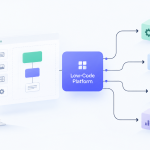
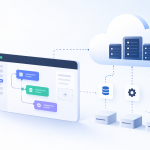


When people talk about low code vs no code, the real difference comes down to two things: who is building the software, and how much control do they need? Low-code is really for developers who want to build complex applications faster, but still need the flexibility to write some code. No-code, on the other hand, is for non-technical folks in business roles who want to create simpler apps using a completely visual, drag-and-drop builder.
Unpacking The Low Code Vs No Code Difference

While both low-code and no-code platforms use a visual approach to building software, they are built on fundamentally different philosophies. Getting this distinction right is the key to picking the right tool for the job.
Think of low-code as a set of power tools for a professional developer. It handles a lot of the tedious, boilerplate coding with pre-built components and visual workflows, freeing up developers to focus on the custom logic and tricky integrations that make an application unique. You still need to understand how programming works to truly extend its power, connect to legacy systems, or fine-tune performance.
No-code is more like a complete toolkit for a business user. It hides all the code, giving you a friendly interface where anyone—from a marketing manager to an HR specialist—can build a working application without ever calling IT. Its strength is its sheer simplicity and accessibility. It's perfect for automating internal workflows, creating simple forms to collect data, or building basic portals for customers.
The market is exploding because businesses are seeing the value. According to Fortune Business Insights, the global low-code development platform market is expected to jump from USD 48.91 billion in 2026 to a massive USD 376.92 billion by 2034. This isn't just a small trend; it's a major shift in how business problems get solved.
A Quick Comparison
To put it in practical terms, here’s how they stack up:
| Criterion | Low-Code Platforms | No-Code Platforms |
|---|---|---|
| Primary User | Professional Developers, IT Teams | Business Users, "Citizen Developers" |
| Skill Requirement | Basic to advanced coding knowledge | No coding skills required |
| Customization | High; allows custom code injection | Limited to pre-built templates |
| Core Goal | Accelerate complex app development | Empower non-tech users to build |
The fundamental trade-off is between power and accessibility. Low-code offers more power and scalability, but you need some technical skill. No-code prioritizes ease of use, but you sacrifice deep customization.
Getting this core difference is the first step. For a closer look at how these tools fit into the bigger picture, you can read our guide on visual development vs low code vs no code. Now, let's dig into how these differences play out in the real world with specific use cases, security concerns, and your final decision.
Who Should Use Low Code And Who Needs No Code
Deciding between low-code and no-code isn't really a technical question. It’s a people question. The right choice depends entirely on who is building the application and what they're trying to accomplish. To settle the low code vs no code debate for your team, you have to look at the person behind the keyboard.
Low-code platforms are purpose-built for people who already get the basics of how software works but want a faster way to get things done. This group loves efficiency, but they aren't willing to give up the power to customize and control the final product. They're not afraid to dive into APIs, tweak data models, or even write a few lines of code when needed.
The Low Code Persona: The Technical Accelerator
The classic low-code user is a professional developer, an IT pro, or a business analyst who speaks the language of tech. Their goal isn't just to slap an app together; it's to build something solid, scalable, and deeply connected to the company's existing systems.
Here are a few examples of who thrives with low-code:
- Enterprise Developers: They use low-code to rapidly assemble the core architecture of an application—things like user logins or database structures. This frees them up to focus their coding skills on the complex business logic and performance-critical features that really matter.
- IT Department Leaders: Facing ever-growing backlogs, these leaders arm their teams with low-code tools to deliver solutions faster. It’s a strategy that lets them build everything from internal dashboards to customer-facing mobile apps without the classic, drawn-out development cycles.
- Integration Specialists: These are the people tasked with making old and new systems talk to each other, like connecting a legacy CRM to a modern marketing platform. Low-code offers powerful connectors out of the box and, crucially, an "escape hatch" to write custom code when a pre-built solution won't cut it.
For these users, the freedom to add custom JavaScript, create a unique API endpoint, or directly modify a data schema is essential. They view low-code as the best of both worlds—a blend of high-speed visual building with the fine-grained control of traditional code.
The No Code Persona: The Business Problem Solver
On the other side, you have no-code platforms, which are designed for the "citizen developer." This user is an expert in their domain—whether it’s marketing, HR, or finance—but they don’t have a background in programming. Their goal is simple and immediate: solve a pressing business problem on their own.
The driving force behind the no-code user is empowerment. They've identified a departmental bottleneck and can't afford to wait months for IT to get to it. No-code gives them the power to build a solution now.
This is where the idea of "democratizing" development really comes to life. It’s a trend backed by data; in the U.S., over 75% of companies are now using low-code or no-code tools, with a staggering 60% of employees pitching in to build applications. This highlights the massive rise of citizen development, and you can explore more about these regional LCNC trends and how they're changing businesses.
You'll often find no-code users like these:
- Marketing Managers: Spinning up interactive landing pages for a new campaign or automating lead follow-ups without filing a single ticket with the development team.
- HR Specialists: Building a custom onboarding workflow for new employees or creating a digital system for performance reviews.
- Operations Coordinators: Designing a simple approval process for purchase requests or building a lightweight inventory tracker for their specific team.
These individuals don't care about database architecture. They want a straightforward, drag-and-drop interface that lets them turn their business expertise directly into a working tool. For them, the platform’s limitations are actually a benefit, providing guardrails that keep things simple and functional. Success is measured by one thing: how quickly they can go from an idea to a deployed solution that solves their problem.
To put it simply, the choice boils down to the user's background and their ultimate goal. The table below breaks down these core differences.
Core Differences Between Low Code And No Code
| Criterion | Low Code Platforms | No Code Platforms |
|---|---|---|
| Target Audience | Professional developers, IT staff, technical business analysts, integration specialists. | Business users, citizen developers, department heads, subject matter experts (e.g., in Marketing, HR, Finance). |
| Technical Skills Required | Basic to advanced understanding of programming concepts, databases, and APIs. Willingness to write code for customization. | No coding knowledge required. Focus is on business logic and process workflow through a visual interface. |
| Typical Applications | Core business systems, customer-facing portals, mobile apps with complex integrations, workflow automation requiring custom logic. | Internal tools, simple workflow automation, data collection forms, landing pages, proof-of-concept prototypes. |
Ultimately, low-code is about accelerating professional development, while no-code is about empowering business experts to solve their own problems without writing a single line of code.
Comparing Technical Capabilities And Customization Limits

When you get down to the nuts and bolts, the low code vs no code distinction becomes crystal clear. This is where the architectural DNA of each approach really shows, explaining why one is suited for enterprise-grade systems while the other shines for more focused, departmental solutions.
The fundamental difference comes down to one thing: the "escape hatch."
Low-code platforms are built from the ground up with this concept in mind. It’s the ability for a developer to pop the hood, step outside the visual builder, and write actual code. Whether it's custom JavaScript for a slick front-end interaction, a Python script for a heavy data transformation, or a finely-tuned SQL query, this capability is everything.
It's not just a nice-to-have; it's what makes building serious business applications possible, allowing you to solve the unique, thorny problems that pre-built components can't touch.
The Low Code Advantage In Depth
Low-code really comes into its own in situations where deep customization and complex integrations are non-negotiable. Its architecture is all about flexibility, handing developers the keys to control crucial parts of the application.
Complex Business Logic: Low-code platforms can handle intricate business rules that go way beyond simple "if-this-then-that" logic. Think of an insurance claims app that needs to calculate premiums based on hundreds of variables—that’s a job for custom code.
Custom API Integrations: While most platforms have connectors, low-code lets you build and consume any REST or SOAP API. This is mission-critical for talking to legacy on-premise systems or third-party services that don't have an off-the-shelf integration.
Bespoke User Interfaces: You aren't stuck with rigid templates. Developers can use custom HTML, CSS, and JavaScript to craft a pixel-perfect user experience that matches a company’s exact brand guidelines and usability needs.
Data Model Flexibility: You can design and manage complex relational databases right inside the platform, defining tricky relationships, constraints, and data types. This level of control is vital for any application that acts as a system of record. To see how this compares, you can learn more about the components of a powerful no-code backend.
Navigating The No Code Wall
No-code platforms, by design, trade flexibility for simplicity. They achieve their incredible ease of use by abstracting away all the underlying code. The trade-off? You eventually hit a hard ceiling on what you can customize—a point of no return often called the "no-code wall."
The no-code wall is that inevitable moment when your app's requirements outgrow the platform's built-in features. Once you hit it, you're stuck. There’s no 'escape hatch' to code your way out of the problem.
This isn't a flaw; it's a feature. The platform’s guardrails are there to ensure a non-technical user can’t accidentally break things, but they also stop a developer from extending the app beyond its intended purpose.
You'll know you've hit the wall when you need to:
- Run a complex calculation that the built-in formula builder can't handle.
- Integrate with an obscure system that doesn't have a pre-built connector.
- Implement a unique UI widget that isn’t in the standard library.
- Scale your database or performance beyond what the platform provides out of the box.
A Tale Of Two Systems
Let’s look at how these technical differences play out in the real world.
| Scenario: Inventory Management System | Low-Code Approach (Winner) | No-Code Approach |
|---|---|---|
| The Goal | Track thousands of SKUs, integrate with supplier APIs for real-time stock, and connect to a legacy accounting system. | Build a simple inventory list. |
| The Outcome | A developer quickly builds the core app visually. They then write custom code for the supplier API connectors and a specialized script to sync with the old accounting software. A perfect fit for low-code's blend of speed and power. | The platform handles the basic inventory list but hits a hard wall on the custom API integrations and legacy system connection. The project fails to meet key requirements. |
| Scenario: Event Registration Portal | Low-Code Approach | No-Code Approach (Winner) |
|---|---|---|
| The Goal | A simple web portal with a registration form, Stripe integration for payments, and automated confirmation emails. | A marketing manager needs a quick and easy way to build the portal. |
| The Outcome | A low-code platform could easily build this, but it would be like using a sledgehammer to crack a nut. The extra technical power is unnecessary for such a straightforward task. | A marketing manager builds the entire thing in an afternoon using a no-code tool's drag-and-drop form builder, pre-built Stripe connector, and email automation. An ideal use case for no-code. |
Ultimately, the technical capabilities of low-code give you a runway for future growth and complexity. No-code, on the other hand, gives you a launchpad for incredible speed and simplicity on well-defined problems.
Real World Use Cases And Business Impact

Knowing the technical specs of low-code and no-code is one thing, but the real story is how they solve actual business problems and deliver a tangible return. This is where you see the practical difference between tools that supercharge IT and those that empower business teams—and how that choice hits the bottom line.
The decision you make in the low code vs no code debate directly impacts how fast you can launch projects, what your operational costs look like, and even how you stack up against the competition. Each path delivers a different kind of value because it's built to solve a different kind of organizational headache.
Low Code Driving Core Business Transformation
Low-code platforms are at their best when modernizing the heavy-duty, core operations of a business. They are the go-to solution for applications that need to be powerful, scalable, and woven deeply into your existing tech ecosystem. The impact is strategic, often rippling across multiple departments and systems.
Picture a mid-sized logistics company wrestling with a clunky, on-premise partner management system. They need a modern, cloud-based portal for partners to track shipments, handle invoices, and get support. This isn't a simple project; it has some tough requirements:
- Legacy Integration: It has to pull real-time data from an old-school SQL database.
- Custom Business Logic: It needs a complex, tiered pricing engine based on shipment volume and route.
- Third-Party APIs: It must plug into external mapping and weather service APIs to provide accurate delivery ETAs.
This is a textbook low-code use case. A development team can use a platform like OutSystems or Mendix to visually build 80% of the app—the user interface, data models, and standard workflows—in a shockingly short amount of time. Then, they bring in their coding skills for the final 20%, hand-crafting the connectors for the legacy database and writing the custom pricing logic.
The business impact here is massive. Development time gets slashed from a projected twelve months down to just three. Better yet, the new portal automates data entry and reduces support calls, cutting operational overhead by an estimated 30% while making partners a lot happier.
No Code For Departmental Agility And Speed
No-code platforms deliver value differently. They put the power to solve problems directly into the hands of the people who live and breathe the business processes every day. The impact is tactical, immediate, and focused on smashing departmental bottlenecks without waiting on IT.
Think about a marketing team that needs an interactive microsite for a new product launch. The old way meant writing a huge brief, getting in IT's long queue, and enduring endless revision cycles. That whole process could easily eat up three months, causing them to miss the perfect launch window.
With a no-code website builder like Webflow or Unbounce, the marketing manager takes the wheel. They use a drag-and-drop editor to build the site, embed promo videos, create a form to capture leads, and connect it directly to their email marketing tool.
The core value of no-code is the radical compression of the idea-to-execution timeline. What once took a quarter can now be accomplished in a single week, or even a few days, by the business user themselves.
Here, the business impact is all about speed and seizing opportunity. The team gets the microsite live in just three days, capturing early buzz and generating leads weeks ahead of schedule. The cost savings are also undeniable—they completely bypassed the high costs of internal developer hours or an external agency.
Let's take another common no-code scenario: digitizing an internal approval workflow. An operations team is stuck with a messy, email-based process for purchase requests. A manager can use a no-code tool like Airtable or Jotform to build a simple app where employees submit requests via a form, which then automatically routes to the right person for approval based on rules they define.
This small, focused fix has a ripple effect. It slashes administrative errors, speeds up procurement, and gives everyone clear visibility into departmental spending. It’s a perfect illustration of how no-code lets teams solve their own problems, fast.
How To Manage Governance, Security, And Scale
Once an application is built, the real work begins. The true test in the low code vs no code debate isn't just about the initial development speed; it's about long-term sustainability. For any app to provide real value over time, it has to be secure, scalable, and manageable. This is where you see the most significant operational differences, especially for IT leaders who need to maintain control over the company's tech stack.
Enterprise-grade low-code platforms were built from the ground up with centralized IT oversight in mind. They offer a structured playground where professional developers can work quickly without straying from corporate standards. These platforms give you granular control over who can build, deploy, and access applications, effectively preventing the kind of chaos that comes from unmanaged development.
On the other hand, the sheer accessibility of no-code tools can be a double-edged sword if it’s not managed properly. When business users start picking their own tools to solve departmental problems, you end up with "shadow IT"—a sprawl of unsanctioned apps operating completely outside of IT's view. This creates serious security holes and disconnected data silos.
Establishing A Governance Framework
Good governance isn't about locking things down; it's about enabling innovation safely. For citizen development to actually work, you need a framework that balances user empowerment with necessary oversight. The goal is to set up guardrails that protect the organization without killing the agility that makes these tools so appealing in the first place.
A solid governance model should include:
- Centralized Platform Management: IT needs to curate and manage a portfolio of approved no-code and low-code tools. This stops the fragmentation of one-off solutions and ensures every tool meets security and compliance standards.
- Clear Role-Based Access: Define who can build apps, who can publish them, and who gets to touch sensitive data. Most enterprise platforms have these controls built-in, letting you give citizen developers creative freedom within a secure sandbox.
- Data Integrity Policies: Set firm rules about what data can be used in citizen-developed apps. For instance, you might greenlight access to marketing analytics but restrict anything containing personally identifiable information (PII) until a proper security review is done.
The core principle of modern governance is enablement, not enforcement. By providing a secure, curated set of tools and clear guidelines, IT can transform from a gatekeeper into a strategic partner for business-led innovation.
Security And Compliance Deep Dive
When you're vetting any platform, security can't be an afterthought. The questions you ask a vendor should be very different if you’re looking at a low-code platform for a core business system versus a no-code tool for a simple internal workflow.
For low-code platforms that will be used across the enterprise, the security scrutiny has to be intense. You're building applications that will handle sensitive customer data and plug into other critical systems. Key questions for vendors include:
- Compliance Certifications: Does the platform hold certifications like SOC 2, ISO 27001, or HIPAA?
- Authentication and Authorization: How does it integrate with your existing identity providers, like Azure Active Directory or Okta?
- Data Encryption: Is data encrypted both at rest and in transit?
- Vulnerability Scanning: What’s the vendor’s process for finding and patching security vulnerabilities in the platform itself?
No-code tools might seem simpler, but they still require due diligence. Since they are often used to handle internal company data, you have to make sure they align with your security posture. While you may not need the same level of enterprise integration, the fundamentals are non-negotiable. Our detailed guide on security considerations in low-code development can help you build a comprehensive checklist.
Planning For Scalability
Scalability is another critical fork in the road. An application that runs smoothly for 50 users might completely fall apart under the load of 5,000. Low-code platforms are generally designed for this kind of growth, built on cloud-native architectures that can handle expanding user loads and massive data volumes. They give you performance monitoring tools and the ability to fine-tune database queries, giving developers the control they need to optimize for high-traffic situations.
No-code platforms usually scale just fine within their intended use case—think a departmental app or a marketing landing page. But they aren't designed to become a company's central operating system. The "no-code wall" applies to performance just as much as it does to features. Once your user base or data processing needs explode, you might find the platform's fixed infrastructure just can't keep up.
The market growth tells the story here. The low-code market alone grew from USD 13.2 billion in 2020 to a projected USD 45.5 billion by 2025. This explosion shows how much organizations are betting on low-code to build robust, maintainable solutions that can grow with them. You can learn more about how low-code and no-code platforms are projected to innovate securely in the years ahead.
Your Decision Framework: A Practical Checklist
When it comes to the low-code vs. no-code debate, picking the right platform means taking a hard, honest look at your project's reality. Forget the feature lists for a moment. This final checklist is designed to make you evaluate the factors that actually determine long-term success. Answering these questions will point you straight to the solution that fits your team, goals, and how you operate.
Evaluating Your Team and Scope
First things first: who is actually going to build and maintain this thing? This is, without a doubt, the most critical factor.
- Who are the primary builders? If you’re talking about professional developers or IT staff looking to move faster, you're on the path to low-code. If it's business users—say, a marketing manager or an operations specialist—then no-code was built for them.
- What's the end goal? Are you building a long-term, scalable application that will become a core piece of your operations? That’s a job for low-code. Or is this a quick fix for a departmental headache or a simple proof-of-concept? No-code will get you there in a fraction of the time.
The choice really boils down to a simple trade-off: pick low-code for strategic, IT-led projects and no-code for tactical, business-led initiatives. Getting this right from the start saves you from over-engineering a simple tool or, worse, under-powering a critical system.
Assessing Technical and Governance Needs
Next up, let's talk about technical complexity and the level of control your organization needs. These are often the non-negotiables that will quickly shrink your list of options.
The flowchart below visualizes the key decision points around oversight, security, and scale.

As you can see, the more you need centralized governance, deep security integrations, and enterprise-grade scalability, the more the needle moves from no-code firmly into the low-code camp.
Use these final questions to lock in your decision:
- Does the app require deep integration? If you need to shake hands with legacy systems, custom APIs, or proprietary databases, low-code’s ability to drop down into custom code is non-negotiable.
- What are your must-have security requirements? For any app that touches sensitive data or has to plug into enterprise identity systems like Okta, a low-code platform with serious, granular security controls is the only responsible choice.
- How will the application scale? If you’re planning for thousands of users or heavy-duty data processing, you'll need the performance tuning and proven scalability of a low-code platform to avoid hitting a wall later on.
By walking through this framework, you can move past the hype and confidently choose the platform that not only solves today's problem but also aligns with where your company is headed.
Frequently Asked Questions
As you weigh the differences between low-code and no-code, a few practical questions always seem to pop up about where these tools fit in the long run. Let's tackle some of the most common ones I hear from teams making this decision.
Can You Go From a No-Code App to a Low-Code One?
Absolutely. In fact, this is a pretty common path for successful applications. It's a smart way to grow. Many teams kick things off with a no-code tool to get a minimum viable product (MVP) out the door fast or to fix a specific problem for one department.
Once the app proves its value and starts to attract more users, the requirements naturally get more complex. You might need to connect with a custom internal system or build out some really specific business logic. At that point, rebuilding on a low-code platform makes perfect sense. This move lets you keep all the good ideas from your original app while giving you the power to scale and customize for the future.
Think of that first no-code app as a successful prototype, not the final word. It's a low-risk way to prove your concept before investing in a more powerful, long-term low-code solution.
Is Low Code Going to Make Developers Obsolete?
Not at all. Low code isn't a replacement for traditional development—it's a powerful supplement. It automates the tedious, repetitive parts of building an application, which actually frees up skilled developers to work on the hard stuff that really matters.
Instead of hand-coding every user interface, form, and database connection, developers can use low-code platforms to get the basics done in a fraction of the time. This lets them pour their energy into what they do best:
- Crafting complex, high-performance algorithms.
- Building tricky integrations with legacy or proprietary software.
- Hardening application security and optimizing performance down to the smallest detail.
It's like giving a master chef a top-of-the-line food processor. They still need their skills and creativity for the gourmet dish, but they don't have to waste time chopping onions. It’s all about making experts more efficient, not replacing them.
Ready to figure out which approach fits your business? Dive into detailed platform reviews and actionable guides at Low-Code/No-Code Solutions to get the clarity you need. Learn more and find the right tool at https://lowcodenocodetool.com.






Add Comment